I’ve been using the Ledger Nano X for about six years now, and looking back, I can confidently say it’s probably the most used — and most battle-tested — tool in my entire crypto journey.
Before the Nano X, I already owned a Ledger Nano S, which I bought back in 2017. It was my first hardware wallet, the one I used to store my earliest Bitcoin and Ethereum holdings, followed by a few ICOs at the time. From the very beginning, I was extremely satisfied with the concept: a simple, reliable cold wallet that did exactly what it was supposed to do.
From Ledger Nano S to Nano X: a necessary upgrade at the time
Early in my crypto journey, I quickly found myself holding multiple cryptocurrencies at once and wanting to manage all of them through a single hardware wallet.
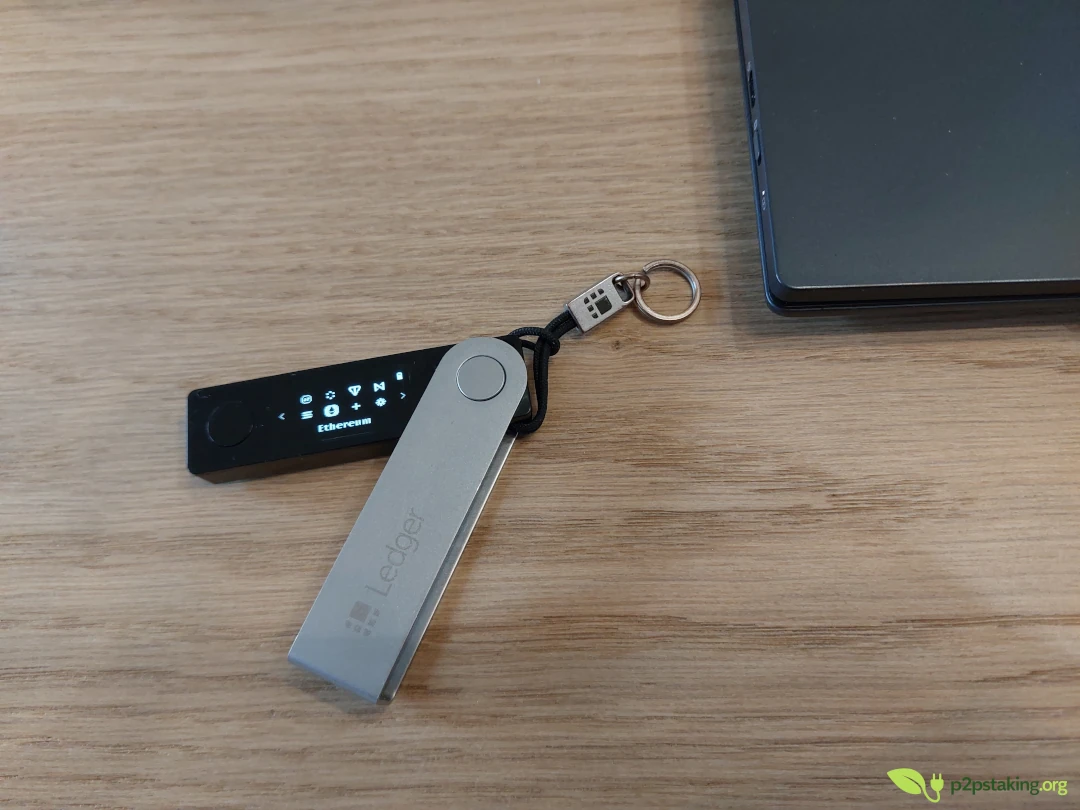
At the time, the main limitation of the first-generation Nano S was its very limited memory capacity — an issue later solved by the Nano S Plus. Back then, you could only install two or three blockchain apps at once.
In practice, this meant constantly uninstalling and reinstalling apps. If you had Bitcoin, Ethereum, and Litecoin installed and needed to sign a transaction on XRP, you had to remove an app, install XRP, sign, and then repeat the process again the next time another chain was needed. It felt like using a computer with a completely full hard drive, endlessly juggling space just to get things done.
Since I only owned one Nano S, this quickly became frustrating.
That’s why I bought the Ledger Nano X in 2019. While it remained very close to the Nano S in terms of functionality, the extra memory made a real difference and significantly improved day-to-day usage.
In hindsight, if the Nano S Plus had existed back then, I might not have felt the need to upgrade.
Today, choosing between a Nano S Plus and a Nano X mostly comes down to one question: do you want Bluetooth support for mobile usage or not?
A consistent and reliable experience over time
From day one, the Ledger Nano X has delivered a very solid experience, fully in line with what I already liked about the Nano S.
The two-button signing workflow remained essentially the same, although the buttons are positioned differently. The larger screen, however, is clearly more comfortable.
As for Bluetooth, I’ve barely used it myself, as I mostly work on desktop machines. That said, for people who mainly interact with crypto on Android or iOS, it’s an obvious advantage.
Hands-on experience: Nano X vs Nano S
From a purely hands-on perspective, I’ve always preferred the Ledger Nano X over the Nano S.
The folding design with the aluminum cover provides better grip without making the device noticeably larger. It’s slightly heavier and feels more premium in hand. Beyond ergonomics, the aluminum cover also does a good job protecting the device. After six years of use, there are very few scratches — just a small circular mark around the hinge, which remains purely cosmetic.
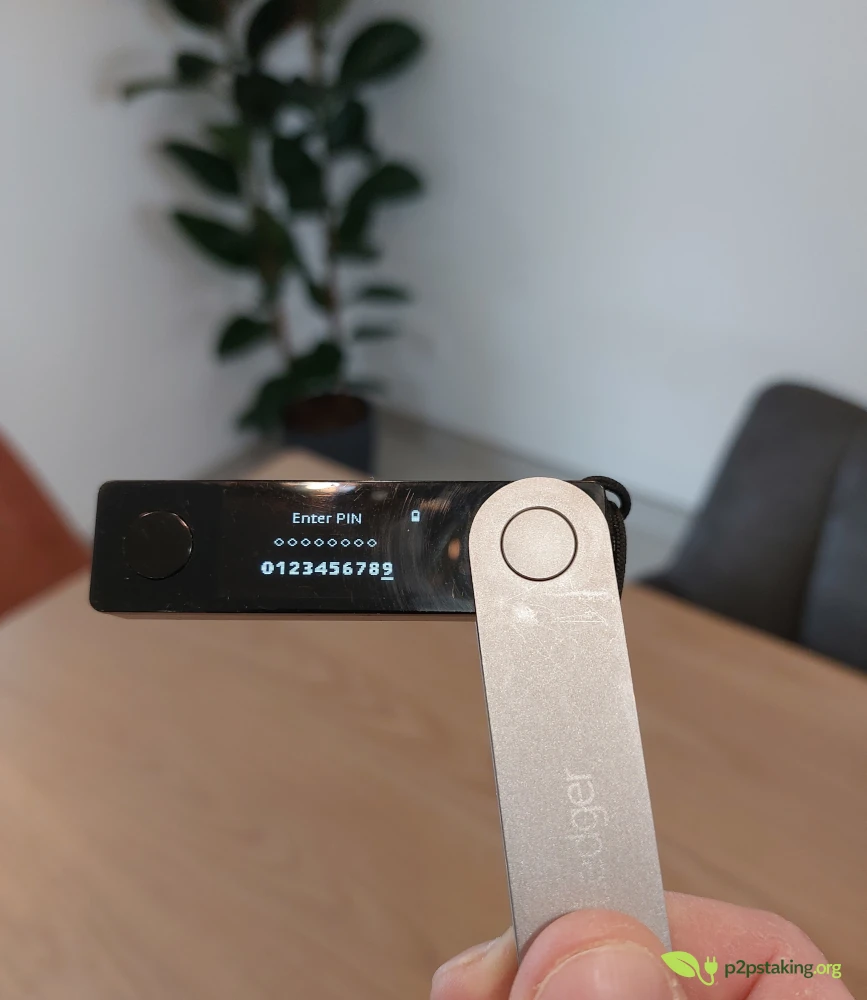
The two front-facing buttons are also an improvement in my opinion. Even though the navigation logic is essentially the same as on the Nano S, using your thumbs to confirm actions feels more natural and reliable, with fewer accidental double-clicks. Overall, it’s a small but noticeable upgrade in everyday use.
Ledger Live: useful… but not the richest option
For a long time, I used the Ledger Nano X exclusively through Ledger Live, the official Ledger application.
Overall, it has always worked well. No major issues, no real complaints.
On Ethereum, I also used it extensively with MetaMask, because Ledger Live was fairly limited at the time. The integration with MetaMask has always been smooth and reliable.
That said, interacting with smart contracts has always been a stressful and uncomfortable experience — and that’s not strictly a Ledger problem, but a broader smart-contract UX issue.
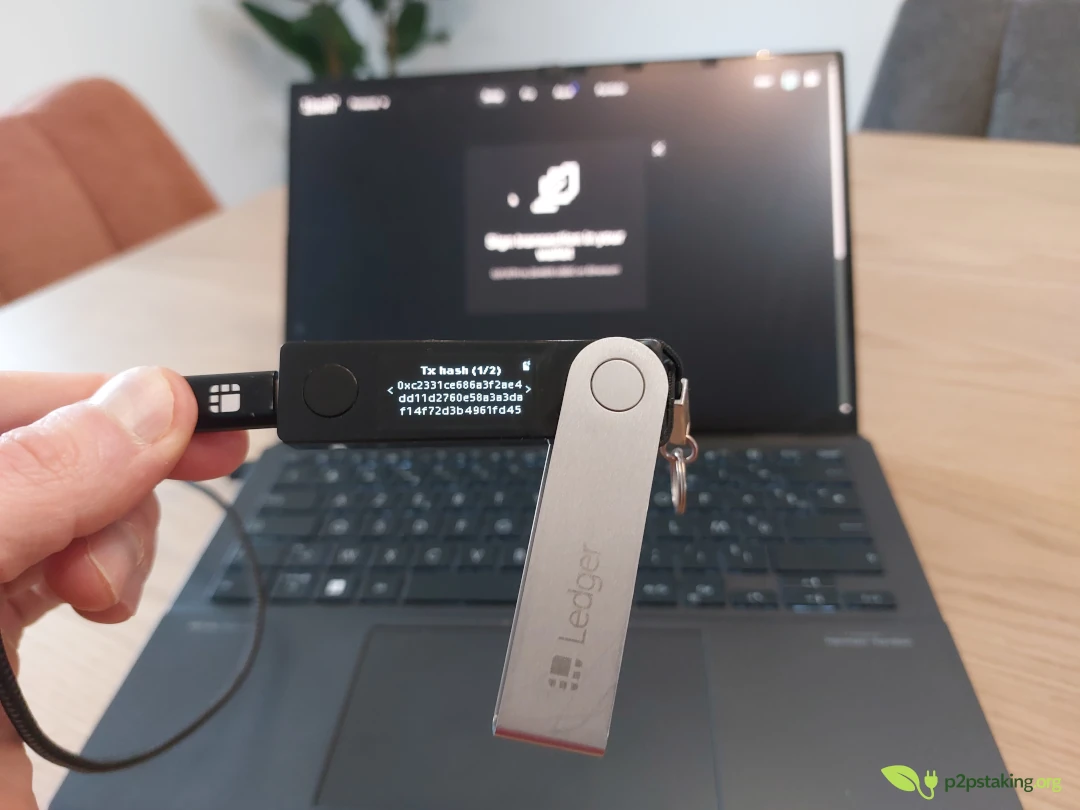
On Ethereum, blind signing plays a big role. You’re often asked to approve something without being able to clearly understand what you’re signing.
But even on other smart-contract platforms, like Solana, the issue remains. You often end up signing data that is technically displayed but not really intelligible. The information is there, but it’s not human-readable in a meaningful way.
Where Ledger Nano devices can feel particularly uncomfortable is when transaction data spans multiple screens. I’ve already had experiences where I had to scroll through five or six separate approval screens, with no clearly understandable information at all.
In those situations, I would have much preferred being asked upfront whether I wanted to proceed or not, rather than mechanically clicking through pages of opaque data.
My personal advice in that case is simple: if you really need to interact with this kind of contract, use a dedicated address and only fund it with the exact amount required for the operation.
For small amounts, a simple software wallet is often perfectly fine. So you avoid turning hardware wallet confirmations into a meaningless click-through exercise.
For larger or more significant amounts, you can still use a dedicated Ledger account.
The key point is to isolate the funds and avoid exposing your main holdings when interacting with opaque contracts.
Advanced usage: early networks, testnets, and validator activity
My more advanced usage started with testnets, long before I became a validator.
I used the Ledger Nano X extensively on early-stage networks and test environments, often at times when tooling was still rough and integrations incomplete.
One thing I really appreciated with the Ledger Nano X is that it was often supported very early by new blockchain projects. In many cases, it wasn’t Ledger itself doing the integration — it was the projects actively making sure Ledger support was available as early as possible.
That’s a major advantage. When you need to receive tokens early or interact with a network at launch, having a Ledger Nano X already supported is extremely convenient.
I remember receiving mainnet Mina tokens at genesis time directly on a Ledger address, without any issue.
Starting in 2020, I began using the Ledger Nano X as part of a validator activity.
In that context, you typically deal with two types of wallets:
- cold wallets for secure storage
- hot wallets that must stay online on servers
Whenever it was technically possible, I used the Ledger NAno X for cold storage.
The main exceptions were situations where automatic signing was required, meaning a hot wallet had to be used by design.
There were also a few cases where one blockchain did not yet support Ledger devices, although this was relatively rare. In some situations, only one of the two Ledger models (Nano S or Nano X) was supported — but I personally never ran into this very situation.
Beyond Ledger Live: real flexibility
Over time, I started using the Ledger Nano X well beyond Ledger Live.
I’ve used it on Windows and Linux, through software wallets, via command-line tools, and even inside virtual machines. Some of these setups are far from standard. I also have friends using the Ledger on iOS, and their experience has been equally solid.
During development phases, I occasionally had Linux configuration files to adjust, but I never had trouble finding the right documentation — one of the benefits of using a widely adopted, market-leading device.
That’s when it really clicked for me: Ledger Live is just one way to interact with a Ledger Nano S/X, and often not the most powerful one.
The Nano X integrates extremely well with third-party wallets such as:
- Sparrow Wallet for Bitcoin
- Rabby, Metamask , Solflare, Talisman, and many others
In almost all cases, the experience is clean, stable, and reliable.
Seed Backup and Reset ledger Nano X
During various testnet and development phases, I also had to reset the Ledger Nano X multiple times. I used it temporarily for test environments and then later restoring it back to my main cold storage setup.
In practice, this process was always simple and reliable. Resetting the device, reinstalling apps, restoring the seed, and getting back to a clean “vault” configuration never caused issues. For a hardware wallet, that’s actually very reassuring: it shows that the recovery process is solid and that the device behaves predictably even after repeated resets.
Based on my experience, the only real point of caution concerns Ethereum wallets.
On Ethereum, default derivation paths have not always been entirely consistent over time, or across different wallets and Ledger Live. As a result, if you don’t know exactly which derivation paths your active accounts are using, some addresses may not immediately appear when restoring or reconnecting the wallet.
This is something I’ve encountered on Ethereum specifically, but it could happen on other blockchains. It’s definitely a point of vigilance worth being aware of.
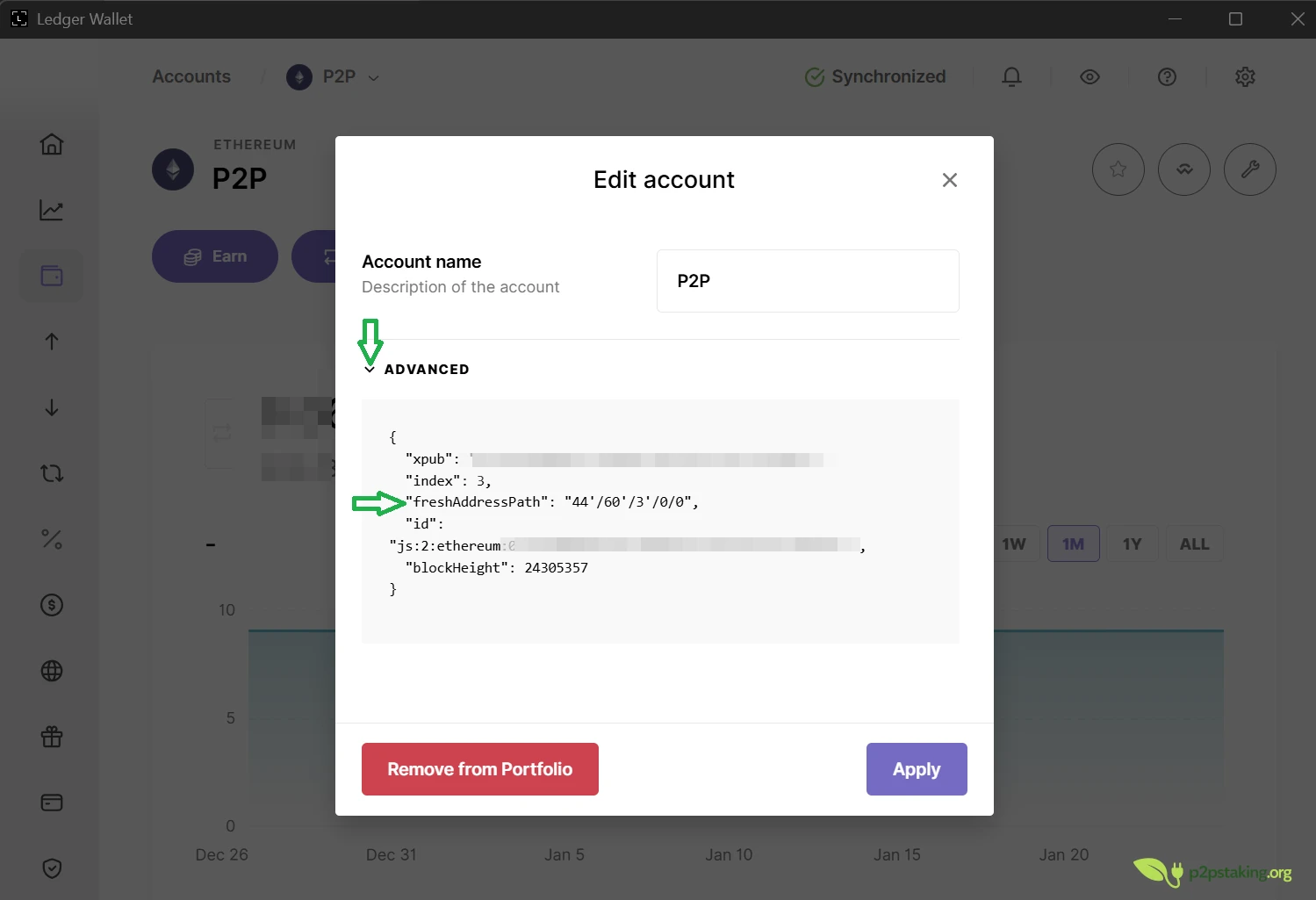
Because of that, I now do one additional thing: alongside my seed phrase, I also keep a written record of the derivation paths I’ve used, primarily for Ethereum, but also — as a precaution — for other networks.
It’s just an optional extra step, but it saves me a lot of time whenever I reset my Ledger and makes the recovery process far more predictable and stress-free.
My Backup Strategy: A Ready-to-Use Ledger Nano S
As soon as I bought the Ledger Nano X, I reused my Nano S as a backup.
I imported the same seed phrase onto the Nano X and kept the Nano S stored in a different physical location. That way, I had an immediately usable backup device if the Ledger Nano X were lost, broken, or disappeared.
If I were starting today, I would likely do the same thing: use a Ledger Nano X as my main device and a Nano S Plus as a backup.
That said, for someone who has no intention of using mobile or Bluetooth at all, two Nano S Plus devices would also work perfectly well — and for a lower cost.
Bitcoin today: a different setup
For the past two years, I’ve moved all my Bitcoin to a Bitcoin-only wallet, using a Bitcoin-specific hardware wallet.
As a result, my Ledger Nano X is now mainly used for everything except Bitcoin.
That said, aside from air-gapped signing — which does add an extra layer of security — the Ledger performs extremely well with Bitcoin inside Sparrow Wallet.
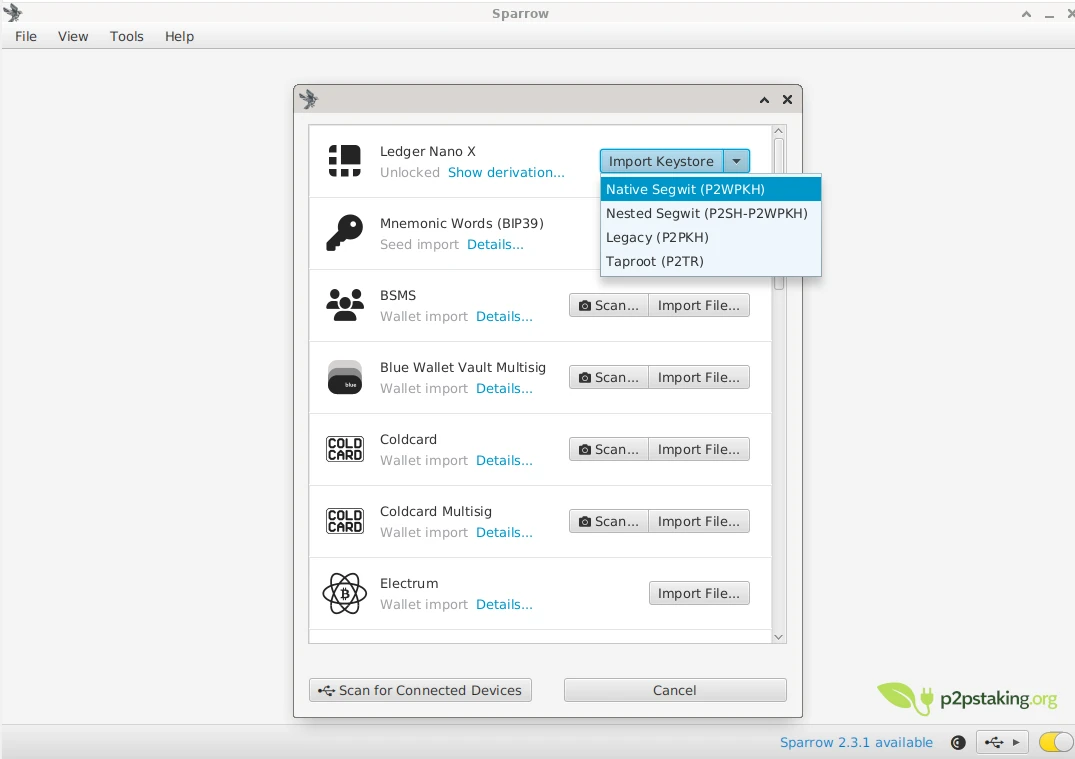
All Bitcoin accounts previously set up in Ledger Live can be imported into Sparrow Wallet very quickly. Then UTXO selection, fee management, and precise transaction construction are all handled very well, almost on par with my Bitcoin-only device.
Ledger’s direction and privacy concerns
Over time, I became less comfortable with Ledger’s strategic direction, especially around Ledger Live.
Personally, I place a lot of importance on privacy. The fact that Ledger suffered two major data 1 2 leaks in the past clearly shows that expanding into services, accounts, swaps, on-ramps, and recovery solutions introduces real privacy risks.
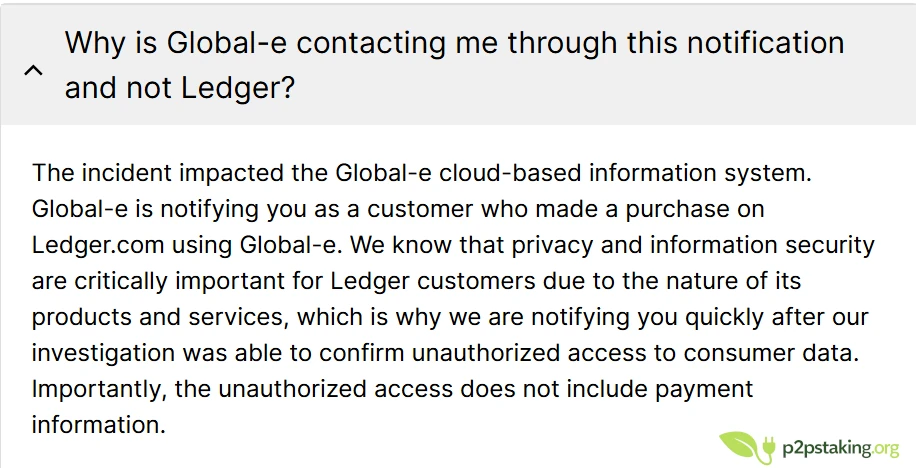
Those incidents validated my concerns. Ledger gradually moved away from being just a hardware manufacturer, and the experience has shown that this shift comes with trade-offs.
For beginners, I understand the appeal. Everything is centralized and simple. But in a privacy-first perspective, it’s a direction that genuinely bothers me.
Physical form factor: an underrated advantage
One last point worth mentioning is the physical design.
The Ledger Nano X truly looks like a USB stick. It’s easy to carry, easy to hide, and easy to store — in a wallet, a bag, or a suitcase.
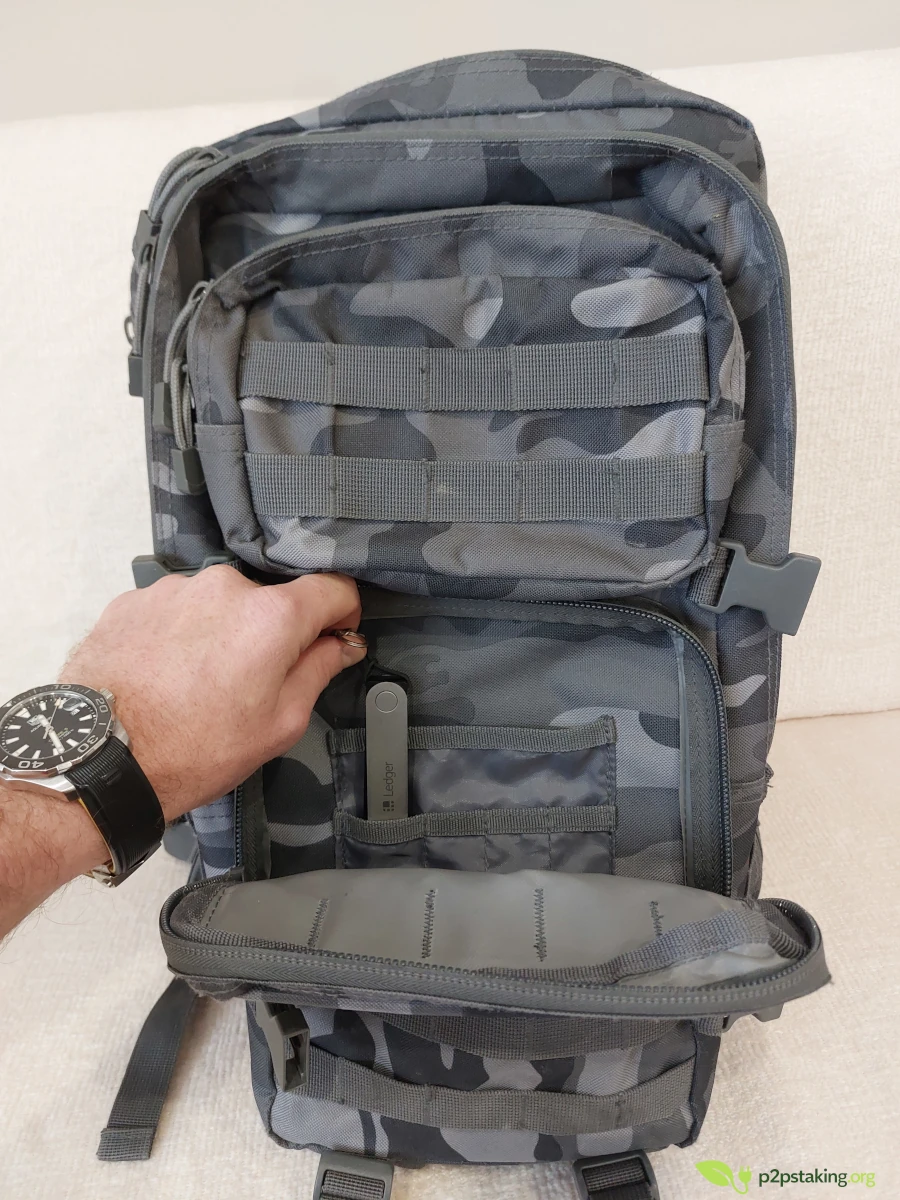
Compared to bulkier devices like a Coldcard, which feels more like a small calculator, the Ledger is far more discreet. You can carry it around without anyone even realizing you’re holding a hardware wallet.
Secure Element and peace of mind
One aspect that’s often underestimated is the secure chip itself.
From a psychological point of view, it brings a huge amount of peace of mind.
I’ve always felt very comfortable carrying my Ledger with me. If I were to lose it, it wouldn’t really matter — nobody would be able to do anything with it. It’s not something you can just hack casually.
I’ve honestly been far more worried about losing a phone than losing a Ledger. I’ve never hesitated to leave it in a bag or store it somewhere, because I trust the underlying security model. Knowing that the device relies on a hardened secure element is extremely reassuring.
Final thoughts on Ledger Nano X after 6 years
If I had to make the same choice again — choosing a hardware wallet to cover everything I’ve done in crypto: investing, ICOs, DeFi, NFTs, and experimentation — I would choose a Ledger Nano X without hesitation.
For long-term storage, established DeFi protocols, and trusted swaps, I still rely on Ledger Nano X.
And after all these years of use, I’ve never experienced a security incident with the Nano X, which ultimately matters the most.
Ledger Nano X / Nano S+ features comparison

Java‑certified engineer and P2PStaking CEO, I secure validators across Solana, Polkadot, Kusama, Mina, and Near. My articles reflect hands‑on wallet ops and real recovery drills so you can set up self‑custody safely, step by step.
Foot Notes
1: https://www.ledger.com/addressing-the-july-2020-e-commerce-and-marketing-data-breach
2: https://support.ledger.com/article/Global-e-Incident-to-Order-Data—January-2026