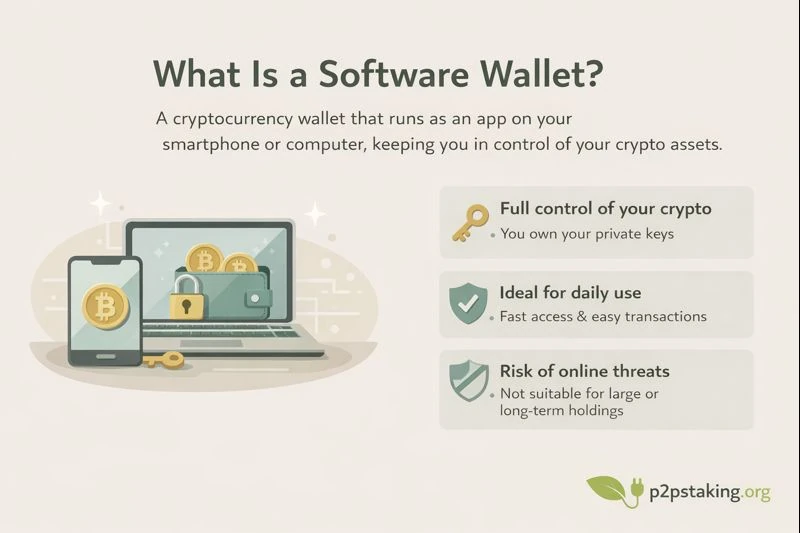
A crypto or Bitcoin software wallet is an app for managing your private keys on mobile or desktop. It is fast to install, free to use, and designed for a smooth UX, but reliant on your device’s security.
This page explains core features, privacy and security trade-offs versus hardware wallets, and who each option suits. You’ll find 2025-ranked picks, comparison tables, and step-by-step install guides for Bitcoin and Ethereum on iOS, Android, Windows, macOS, and Linux.
Why Choose a Software Wallet?
Software wallets are ideal when you want quick, free self‑custody with a smooth user experience on phones and desktops. They install in minutes, work across iOS, Android, Windows, macOS, and Linux, and support modern features like fee control, labels, and easy backups.
The trade‑off is security: your keys live on an internet‑connected device exposed to malware, phishing, and OS vulnerabilities. Mitigate risk by verifying downloads, using a strong device PIN/biometrics, enabling encrypted backups, and avoiding risky links or sideloaded apps.
Use a software wallet for everyday spending, testing and learning, and light daily balances. Do not use it for large, long‑term holdings—move significant funds to a hardware wallet or a well‑designed multisig setup, and keep a small “spending wallet” on mobile for convenience.
How Software Wallets Work ?
Software wallets generate and manage your private keys, derive addresses, connect to the network to fetch balances, and securely sign and broadcast transactions on Bitcoin and Ethereum.
Keys, Seed Phrase, and Derivation
What is a seed phrase (BIP39)
A 12–24 word backup that can recreate your wallet on any compatible app.
Keep it offline and never share it; anyone with the seed can control your funds. It can also include an optional passphrase for extra security.
Private/public keys
Your private key signs; your public key/addresses receive funds.
Keep the private key secret and offline when possible; the public key and addresses can be shared safely to receive payments.
Bitcoin Basics: UTXOs and Address Types
UTXOs (unspent outputs)
Your balance is a set of UTXOs (Unspent transaction output).
On Bitcoin, your funds aren’t a single “account balance.” They’re many individual coins called UTXOs—each is a received output with a fixed amount. When you spend, the wallet selects one or more UTXOs as inputs, then creates new outputs (payment + change). Your displayed balance = sum of all your UTXOs.
Address formats
- Legacy (P2PKH, starts with “1”): Older format, higher fees, broad compatibility.
- SegWit (P2WPKH, starts with “bc1q”): Modern bech32, lower fees, fewer errors; recommended default for most.
- Taproot (P2TR, starts with “bc1p”): Newest bech32m, best privacy/efficiency for complex spends; supported on most major wallets/exchanges.
Ethereum Basics: Accounts and Gas
Externally Owned Accounts
Keep the private key secret and offline when possible; the public key and addresses can be shared safely to receive payments.
Gas and EIP‑1559
Every Ethereum action costs “gas,” paid in ETH. EIP‑1559 makes fees two parts: a base fee (auto-set by the network and burned) plus a small tip you add to get mined faster.
Tokens (ERC‑20/721/1155)
Wallets display ERC‑20/721/1155 tokens under your ETH account; always verify the token’s official contract address to avoid fakes.
Connectivity: Nodes, Light Clients, and Privacy
A wallet needs a node to read the blockchain and send transactions. You can use your own node or a third-party service. As a beginner, convenience is fine, but be aware of the privacy trade-offs.
Your own node vs third‑party RPC
- Your own node: You query yourself. Better privacy, fewer trust assumptions, but setup/maintenance required.
- Third‑party RPC: Easiest. The provider sees your requests (which can reveal addresses/usage).
SPV/Neutrino (Bitcoin)
“Light” Bitcoin modes. They verify block headers and only fetch data relevant to your wallet, saving bandwidth and storage. More private than full reliance on a single server, but not as trust-minimized as running your own full node.
Custom RPC (Ethereum)
In wallet settings, you can switch from the default provider to your own node (Geth/Nethermind) or a trusted endpoint. This reduces reliance on the default RPC and can improve privacy and reliability.
Tor and privacy settings
- Tor routes traffic through an anonymity network so servers can’t easily link requests to you.
- Also enable privacy features: avoid address reuse, use coin control on Bitcoin, and prefer connecting to your own node or a trusted RPC.
Signing and Broadcasting
Before a transaction is sent to the network, your wallet prepares it and asks you to review and sign it to prove your authorization.
Building a transaction
- BTC: Pick which coins (UTXOs) to spend and where to send change.
- ETH: Set the recipient, amount, and any data. Then choose a fee.
Signing
The wallet uses your private key to create a signature proving you authorized the transaction. The private key stays on your device.
Broadcasting and confirmations
The signed transaction is sent to the network. It’s confirmed when miners/validators include it in blocks (more blocks = more finality).
Optional: Hardware‑assisted signing
If your software wallet supports hardware wallets from the start, you can create the wallet as a “hardware-backed” account.
The app handles the interface, while the hardware device generates the keys and signs every transaction.
You are then sure that your private keys stay in the hardware.
Evaluation Criteria for Software wallets (Beginner-Friendly)
A good wallet should meet baseline security standards, protect your privacy by minimizing data sharing, and still feel easy and pleasant to use.
Aim for strong protection (seed, PIN/biometrics, verified downloads) without sacrificing clear UX and sensible defaults.
Security
- Open source and audits are good signs: anyone can review the code, and third‑party audits help catch issues early.
- Protect the app with PIN/biometrics; enable device encryption: this blocks casual access if your phone/computer is lost or stolen.
- Use a seed passphrase for extra protection: even if someone gets your 12–24 words, they can’t spend without the extra passphrase.
- Be wary of malware/phishing; only download from official sources: fake apps and links are a common way to steal keys.
- Extras watch‑only (view without spending): lets you monitor funds safely.
Backups & Recovery
- Write down your 12–24 word seed and store it offline: this is your master backup—use paper or metal, not digital photos/screenshots, which are easy to copy and steal.
- Optional: add a passphrase (don’t forget it): it adds a second factor to your seed; losing it means losing access.
- Bitcoin Export xpub (view‑only) safely if you need to track balances: xpubs reveal addresses/history but can’t spend; share only with tools you trust.
UX & Features
Fees controls
lets you choose how much to pay in fees—higher for faster confirmation, lower if you can wait.
Labels and contacts
name your addresses/transactions and save trusted recipients so sending stays clear and error‑free.
BTC coin control
pick which “coins” (UTXOs) you spend to reduce address linking and improve privacy.
ETH token support
see and manage your ERC‑20/721 tokens alongside ETH (add verified token contract addresses).
Software Wallets Privacy
Check what each software wallet offers for privacy:
- does it let you connect to your own node/RPC
- does it support Tor to hide network metadata?
Look for features that prevent address reuse and, on Bitcoin, coin control so you can choose which UTXOs to spend and avoid linking past receipts to new transactions.
Software Wallets Compatibility
- Check your OS: Make sure the wallet supports your device (iOS/Android for mobile, Windows/macOS/Linux for desktop) and is actively updated in the official app store or site.
- Hardware wallet integration: Prefer wallets that can connect to Ledger/Trezor/etc. so you keep keys on a secure device while using the app’s interface.
- Support for your node/RPC: If you plan to self‑host, choose a wallet that can connect to your own Bitcoin node (Electrum server/Core) or a custom Ethereum RPC (Geth/Nethermind) for better privacy and reliability.
2025 Best Software Wallet Picks and Rankings
In the sections below, we’ll recommend the best self-custodial software wallets based on two key factors:
- Device: phone (iOS/Android) vs. desktop (Windows/macOS/Linux)
- Network focus: Bitcoin-only, or multi-coin (BTC, ETH, USDC, USDT, Solana, and many more altcoins)
Each pick balances security, standards support, privacy options, and usability for its target setup.
There’s no strict ranking order—choose the wallet that best fits your device, network needs, and personal preferences.
Top 3 Bitcoin Mobile Software Wallets in 2025
Here we highlight self-custodial Bitcoin wallets that run on both iOS and Android.
Mobile apps are sandboxed, which helps contain malware risk, but phones are easier to lose or steal. Mitigate this by encrypting your device, setting a strong passcode/biometrics, and backing up your seed securely.
These wallets support modern Bitcoin standards, fee control, and easy recovery.
Unstoppable : All-in-one major cryptos wallet
Unstoppable does a great job on security and privacy: open-source app, no accounts, optional Tor, coin control, custom fees, and the ability to use your own nodes/RPCs.
The big win is convenience—one wallet to manage major cryptos (BTC, ETH/EVM with tokens/NFTs, and multiple L1/L2s) with a polished UX on both iOS and Android.
Open-source
Secure : pin/biometrics, duress mode, SPV
Strong privacy : Tor, minimal analytics
Clean UX, create multiples wallets
Major networks supported (BTC, ETH, USDC, USDT, SOL)
Larger surface attack (more networks supported)
No Hardware wallet support
BlueWallet : simple Bitcoin-only wallet
BlueWallet is a simple yet powerful mobile Bitcoin wallet (iOS/Android).
We recommend it for beginners, and it is definitely suitable for advanced users. Native on-chain, Lightning via LNDHub (self-hosting possible), with solid control and backup options.
Open-source
Secure : pin/biometrics/full encryption, duress mode, watch-only
Strong privacy : minimal analytics
Clean UX : fees and coin control
Coldcard support (hardware wallet)
Bitcoin-only wallet
TOR not supported
Zeus : Advanced wallet for Bitcoin and Lightening
Zeus (ZeusLN) is a Bitcoin/Lightning wallet for power users, ideal if you run your own node.
Zeus LN offers an excellent privacy
Open-source
Secure : pin/biometrics, duress mode
Strongest privacy
Bitcoin-only clean UX
Fine grained fees control
Steeper learning curve
Needs reliable endpoints
Best Bitcoin Software Wallets for Desktop and Laptop (Windows, macOS, and Linux)
Below are our top 3 self-custody Bitcoin wallets available on both PC, Mac, and Linux.
Desktops can be more exposed to malware, so harden your setup: keep your OS clean. Consider turning them into cold wallets by pairing with a hardware wallet for signing.
Sparrow wallet
Sparrow Wallet is a desktop Bitcoin wallet focused on security, transparency, and advanced on-chain control.
It’s ideal for users who want full UTXO management, seamless hardware wallet use without sacrificing a clean interface.
Smooth hardware integration (Coldcard, Jade, Ledger, Trezor)
Coin/UTXO control, labels
Private node suuported (public available)
Clear UI, strong documentation, active development
Good coin selection tools for privacy and fee efficiency
Tor / own node requires more setup
No LN support
Specter Desktop
Specter Desktop is a Bitcoin wallet built around Bitcoin Core, specializing in hardware wallets and multisig. It is available on Windows, Mac, and Linux.
Specter Desktop is designed for secure, audit-friendly workflows, ideal for long-term storage and teams managing treasury setups.
Works with own Bitcoin core node or public node
Support most hardware wallets
Tight integration with Bitcoin Core; robust watch-only setups
First-class hardware workflows (air-gapped via QR/SD, PSBT)
Strong for cold storage and institutional/treasury use
Tor built in service
Less convenient for day-to-day spending than Sparrow/Electrum
No native Lightning support
Electrum wallet
Electrum is a lightweight, battle-tested Bitcoin wallet for Windows, macOS, and Linux.
It’s fast, flexible, and highly configurable, with strong support for hardware wallets and custom servers.
Most Hardware wallets supported
Mature, lightweight client with fast sync
Works well for both everyday use and advanced setups
Powerful coin control, RBF/CPFP, labels, watch-only
UI feels dated compared to newer wallets
Security relies on your chosen servers unless you run your own
Best Multi-Crypto Mobile Software Wallets (iOS & Android)
Here we present wallets available on both Android and iOS that support the most common cryptocurrencies.
They’re convenient for beginners who want one app to manage BTC, ETH/EVM tokens, and popular L1/L2 networks, with simple setup and solid security options.
Unstoppable : All-in-one major cryptos wallet
Unstoppable does a great job on security and privacy: open-source app, no accounts, optional Tor, coin control, custom fees, and the ability to use your own nodes/RPCs.
The big win is convenience—one wallet to manage major cryptos (BTC, ETH/EVM with tokens/NFTs, and multiple L1/L2s) with a polished UX on both iOS and Android.
Open-source
Secure : pin/biometrics, duress mode, SPV
Strong privacy : Tor, minimal analytics
Clean UX, create multiples wallets
Major networks supported (BTC, ETH, USDC, USDT, SOL)
Larger surface attack (more networks supported)
No Hardware wallet support
Trust Wallet
Trust Wallet is a beginner-friendly, multi-crypto wallet for iOS and Android. It supports a wide range of coins and tokens with a simple setup and built-in dApp access.
Very broad chain/token support (BTC, ETH, USDC, USDT, SOL, Dogecoin, ERC20)
Simple UX, quick onboarding, integrated dApp browser and WalletConnect
Chrome extension with Ledger support
Open-source components, biometry/passcode, encrypted backups
Active development and large user community
Closed-source mobile app distribution
Rabby Wallet Mobile
Rabby Wallet Mobile is an EVM-first wallet for iOS and Android focused on safer dApp interactions.
It offers excellent transaction previews, risk checks, and approvals management across major EVM L1/L2 networks.
Multi-chain EVM support (Ethereum, Arbitrum, Optimism, BSC, Polygon, etc.)
Open-source codebase, active development
Hardware wallet support (including Ledger, and Trezor)
Chrome extension
EVM-focused: no support for non-EVM chains (e.g., Bitcoin)
Best Multi-Crypto Desktop Software Wallets (Windows, macOS, Linux)
Here we highlight Exodus as a polished desktop app.
Also, Rabby wallet and Trust Wallet are good candidates via their browser extensions.
All three let you manage popular assets and interact with dApps on major networks, with easy setup and cross‑platform convenience.
Exodus
Exodus is a beginner-friendly, multi-crypto desktop wallet for Windows, macOS, and Linux, with a polished interface, wide asset support, and built-in portfolio tools.
Exodus is also available on Android and iOS.
Clean, intuitive UI with quick onboarding
Wide coin/token support and integrated swaps
Easy hardware wallet pairing (Ledger and Trezor)
Cross-platform with mobile companion and sync
Closed-source main app
Limited advanced Bitcoin features (no deep UTXO tools/multisig)
Rabby Wallet Mobile
Rabby Wallet Mobile is an EVM-first wallet for iOS and Android focused on safer dApp interactions.
It offers excellent transaction previews, risk checks, and approvals management across major EVM L1/L2 networks.
Multi-chain EVM support (Ethereum, Arbitrum, Optimism, BSC, Polygon, etc.)
Open-source codebase, active development
Hardware wallet support (including Ledger, and Trezor)
Chrome extension
EVM-focused: no support for non-EVM chains (e.g., Bitcoin)
Trust Wallet
Trust Wallet is a beginner-friendly, multi-crypto wallet for iOS and Android. It supports a wide range of coins and tokens with a simple setup and built-in dApp access.
Very broad chain/token support (BTC, ETH, USDC, USDT, SOL, Dogecoin, ERC20)
Simple UX, quick onboarding, integrated dApp browser and WalletConnect
Chrome extension with Ledger support
Open-source components, biometry/passcode, encrypted backups
Active development and large user community
Closed-source mobile app distribution
Bitcoin and Crypto Software wallets Comparison Table
| Wallet | Privacy | Security | UX/features | Best For |
| BlueWallet | – coin control – own node | – PIN/biometrics full encryption – open-source – watch-only | – Bitcoin-only (on-chain + optional Lightning) – iOS/Android | Mobile users wanting solid on-chain + optional Lightning |
| Electrum | – coin control – own node – TOR | – hardware wallet and 2FA suuport – open-source – watch-only – password/Full encryption | – Bitcoin-only – Windows/Linux/macOS | Advanced users wanting flexibility and speed |
| Exodus | – hardware (Ledger/Trezor) – PIN/biometrics (via OS) full encryption | – Wide coin/token support – Windows/Linux/macOS – iOS/Android | Beginners wanting multi-asset convenience | |
| Rabby wallet | – own node (custom RPCs) | – hardware (via extensions) – open-source | – Wide coin/token support (EVM-first); – – Windows/Linux/macOS | DeFi users on EVM chains wanting safer interactions |
| Sparrow Wallet | – coin control – TOR own node | – hardware wallets support – full encryption – open-source watch-only | – Bitcoin-only – Windows/Linux/Mac | Power users needing fine on-chain control and multisig |
| Specter Desktop | – own node | – hardware wallets support – open-source – watch-only | – Bitcoin-only – Windows/Linux/Mac | Cold storage setups, teams/treasury multisig |
| Trust Wallet | – PIN/biometrics – full encryption – watch-only | Wide coin/token support iOS/Android | Beginners wanting an easy multi-coin mobile wallet | |
| Unstoppable | – coin control – TOR embedded – own node (custom RPCs) | – PIN/biometrics full encryption – open-source (client) | – Wide coin/token support – iOS/Android | One-app solution for BTC + EVM/L1/L2 with privacy options |
| Zeus | – coin control – TOR – own node | – open-source – full encryption | – Bitcoin-only (BTC+Lightning) – iOS/Android | Users running their own node, advanced Lightning control |
Seed Phrase and Backup
Self‑custody means you create your own recovery secrets and take responsibility for storing and restoring them correctly.
This process is the same whether you use a software wallet or a hardware wallet—the seed is the master key.
If any of this isn’t crystal clear, read our bitcoin and crypto self‑custody guide.
Best Practices
Generate/store seed offline; consider a BIP39 passphrase
Offline seeds can’t be hacked remotely. A passphrase adds a second factor, blocking access even if someone copies your words.
Verify downloads; keep OS/app updated
Official, verified installs avoid fake apps and malware. Updates patch security bugs and keep fee/feature logic current.
Enable PIN/biometric and device disk encryption
Locks stop casual thieves; full‑disk encryption protects wallet data if the device is lost or stolen.
Test restore with small funds
A dry run proves your backup works before you trust it. Restore, check addresses match, then proceed.
Use your own node/RPC when possible
Reduces reliance on third parties, improving privacy and resilience. Your lookups and balances stay with you.
Separate spending vs savings wallets
Keep small daily funds in a “hot” wallet and larger amounts in a safer setup (hardware wallet) to limit risk.
Step‑by‑Step
This beginner, app-agnostic guide walks you through the essential lifecycle of using a Crypto or Bitcoin software wallet: creating your wallet, securing a backup, receiving funds, sending with sensible fees, and verifying your transaction on-chain.
1/ Create a software wallet
- Install from the official source and open the wallet.
- Choose to create a new wallet.
- Set a strong device lock and enable the wallet’s access lock (PIN/biometric).
2/ Backup (and test your backup)
- Write down the 12–24 word seed on paper/metal; don’t take screenshots.
- Optionally add a passphrase only if you can store it safely.
- Perform a test restore in a separate profile/device to confirm the same receive address appears.
3/ Receive Bitcoin or Crytpo
- Generate a new receive address.
- Share the address or QR code with the sender.
- Wait for blockchain confirmations before considering funds final.
4/ Send Bitcoin or Crypto with best fees
- Enter the recipient address and amount.
- Choose a fee level: higher for faster confirmation, lower if you can wait.
- Review details, then approve and sign the transaction.
5/ View on-chain
- Open the transaction details and follow the link to a block explorer.
- Check the TXID, fee paid, and number of confirmations.
- Keep the link/TXID if you need payment proof.
6/ Store your backup safely
- Keep the written seed (and passphrase) offline in a secure, dry place.
- Use discreet packaging to avoid drawing attention.
- Prefer water- and fire-resistant storage (metal backup or a fireproof/waterproof container).
- Consider a second copy in a separate location.
Java‑certified engineer and P2PStaking CEO, I secure validators across Solana, Polkadot, Kusama, Mina, and Near. My articles reflect hands‑on wallet ops and real recovery drills so you can set up self‑custody safely, step by step.
Software Wallet FAQ
Intro. Don’t forget new line between phrases
Seed vs passphrase; what if my phone is lost?
The seed (12–24 words) is your master backup. A passphrase is an extra secret that “locks” the seed. If your phone is lost, restore on a new wallet using your seed (and passphrase if used); then move funds to fresh addresses.
Is open source safer?
Often, yes: public code can be reviewed and audited, which helps catch bugs and backdoors. Still verify signatures and trust only reputable projects.
Can I use one seed for BTC and ETH?
Technically possible with standards like BIP44, but not recommended. Using separate seeds per chain or purpose reduces cross‑risk and keeps backups simpler.
How to lower BTC/ETH fees?
Send when the network is less busy, use fee controls, and enable RBF (BTC) to adjust later. On ETH, use EIP‑1559 “low” priority tips and consider off‑peak times or L2s.
Watch‑only: why/how?
A watch‑only wallet tracks balances and receives without holding private keys. Import an xpub (BTC) or public address to monitor funds safely.
Multisig with software wallets?
Yes. You can coordinate multiple keys/devices (and include hardware wallets) via standards like PSBT for stronger security and shared approval.
Software Wallet Glossary
- Coin control: Choosing which BTC UTXOs to spend to manage privacy/fees.
- EIP‑1559: Ethereum fee model with a base fee (burned) plus a priority tip.
- EOA: Externally Owned Account on Ethereum; controlled by a private key.
- Gas: The fee paid in ETH for Ethereum transactions and smart contract actions.
- LN: The Lightning Network is a Layer-2 payment protocol for Bitcoin that enables fast, low‑fee transactions by moving most activity off-chain. Users open payment channels on-chain, transact instantly within those channels, and only settle the net result back to the blockchain. This reduces congestion, lowers costs, and enables small, frequent payments.
- Multisig: Requiring multiple keys to approve a transaction for stronger security.
- Passphrase: An optional extra secret added to your seed; without it, funds can’t be accessed.
- PSBT: Partially Signed Bitcoin Transaction; a safe format to pass transactions between devices/signers.
- RBF/CPFP: BTC fee tools; Replace‑By‑Fee rebroadcasts with higher fee, Child‑Pays‑For‑Parent speeds up a stuck parent.
- RPC: Remote Procedure Call; how wallets talk to nodes/providers.
- Seed phrase: 12–24 words that back up all your keys; keep offline and secret.
- SegWit: BTC upgrade reducing fees and fixing malleability; addresses often start with bc1q.
- Taproot: BTC upgrade improving privacy/efficiency for complex spends; addresses start with bc1p.
- UTXO: Unspent Transaction Output; the “coins” making up your BTC balance.
- xpub/xprv: Extended public/private keys for generating many addresses from one root.