Understand Bitcoin and Crypto self-custody and pick the right hardware wallet for your crypto (Ledger, Trezor, Coldcard, Jade, KeepKey, BitBox02, Passport)
Best Cold Wallet Choice based on your profile: Bitcoin maximalist, Multi crypto asset holder, beginner, or expert.
Bitcoin and Crypto Hardware wallet in 60 seconds
Self-custody means you hold your own private keys, so only you can move your coins. No exchange or third party can freeze or lose them.
Your seed phrase is a 12/24‑word backup that can recreate your wallet on any compatible device. Anyone who has it can spend your funds, so protect it like cash and keep it strictly offline.
A crypto hardware wallet keeps your keys offline on a dedicated device, while a hot wallet stores keys on an internet‑connected phone or computer. Hardware wallet drastically reduces your attack surface by isolating private keys and approving transactions on‑device.
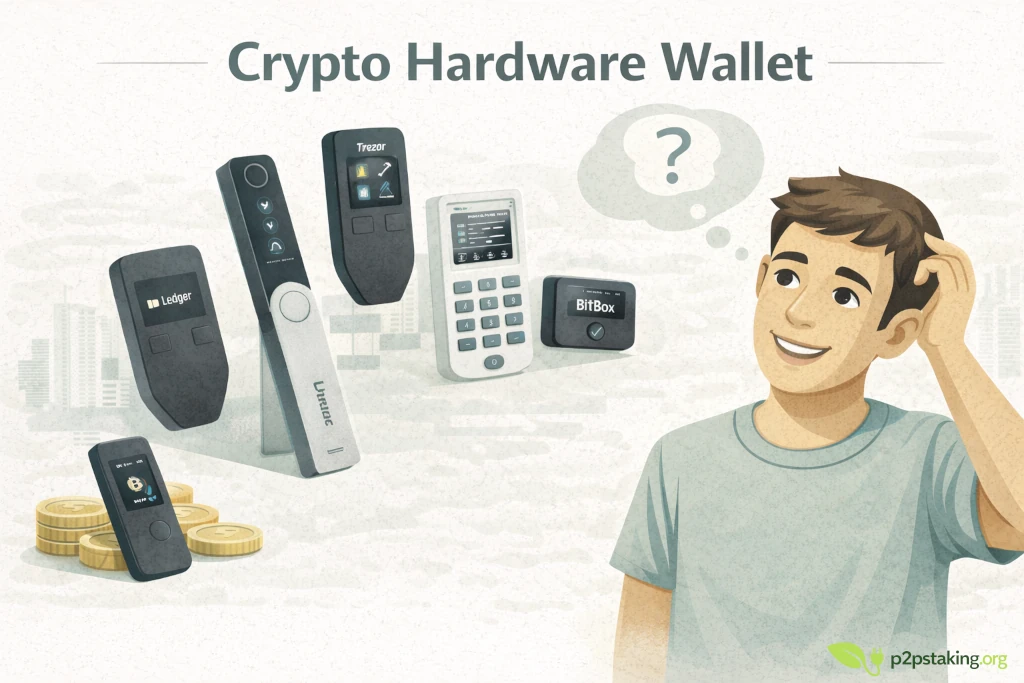
Why use a crypto hardware wallet
Security
Your private keys are generated and stored inside the device and never touch the internet. That isolation makes remote hacks, keyloggers, and clipboard malware vastly less effective than on a phone or laptop.
Offline signing
You build a transaction on your computer/phone, but the wallet signs it inside the device itself. The signed data goes back without exposing keys, so even a compromised computer can’t steal them.
Sovereignty
You’re not trusting an exchange to hold funds, set withdrawal limits, or pause transfers. You control access 24/7 and avoid the counterparty and KYC custody risks that come with centralized platforms.
Who a hardware wallet is for
Beginners
Beginners seeking a safe long‑term setup: Clear setup flows, PIN protection, and on‑device address verification reduce common mistakes while giving you a durable home for savings.
Long‑term holders ( crypto cold wallet)
Ideal for set‑and‑forget security, firmware updates are infrequent, and backups (seed on paper/metal) make recovery straightforward if the device is lost.
DCA users accumulating over time
Pair a hardware wallet with recurring buys; sweep to cold storage periodically. You get consistent security, clear receive addresses, and simple tracking without keeping funds on an exchange.
Safety callouts
Seed phrase
Write your 12/24 words by hand and store them in two separate, secure locations. Consider a metal backup to resist fire and water. Never photograph, scan, type, or upload your seed—keep it fully offline and out of cloud services or printers.
Phishing
Get software and firmware only from official sources; double‑check URLs, app publishers, and checksums when available. Never click seed‑recovery links or “support” DMs. Always verify the receive/sending address on your hardware wallet’s screen before approving.
Passphrase
A passphrase adds an extra word/phrase to your seed, creating a new hidden wallet for stronger security and plausible deniability. Use it only if you can document and recover it reliably; forgetting or mis‑recording the passphrase means permanent loss of funds.
Choose your crypto cold wallet
Crypto Hardware Wallets comparison table
Best for beginners who hold multiple coins. They offer broad coin support with polished apps, making it easy to secure all your assets in one place—ideal for everyday portfolio management, mobile use, and frequent transactions.
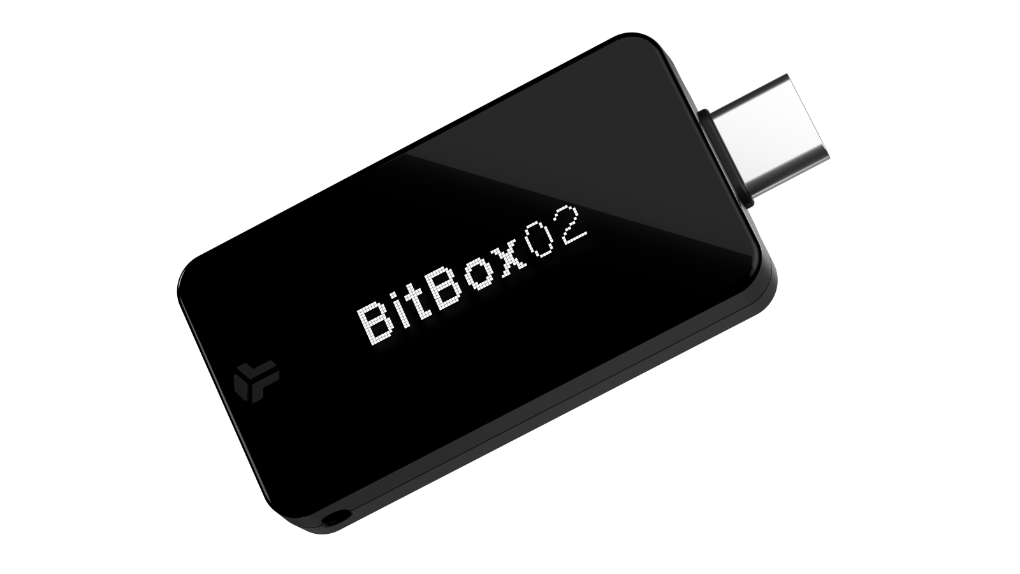
BitBox02
- Support most crypto except Solana
- Secure chip
- Open source firmware
- USB-C
- $144-$169
Best for Bitcoiners, simple secure setup.
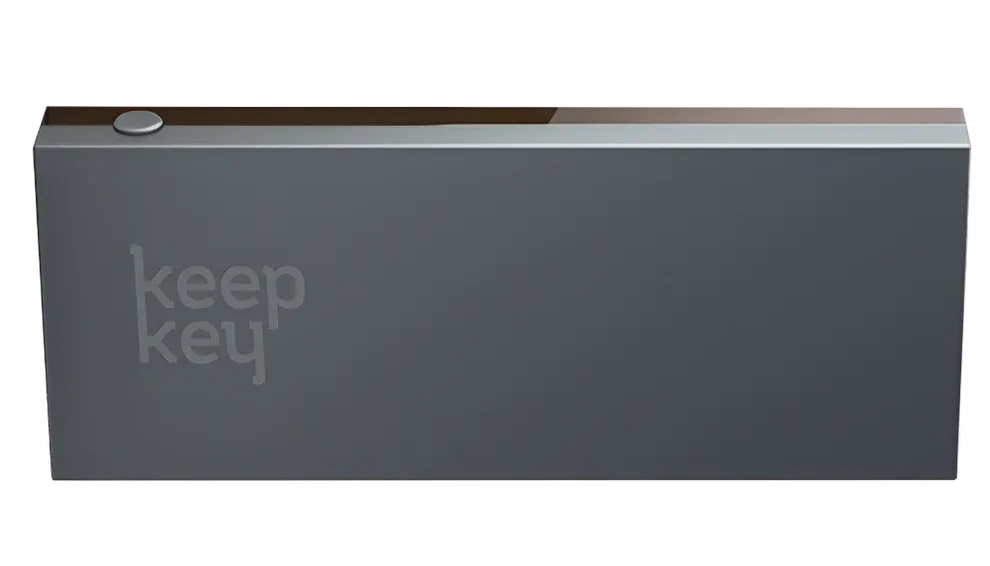
KeepKey
- BTC, ETH, XRP, USDC, USDT, and many more
- Some majors chain like Solana not supported
- Open-source firmware
- USB
- $45-$65 (10% OFF with our link)
Best for user looking for low-cost multi-coin, simple UI hardware wallet.
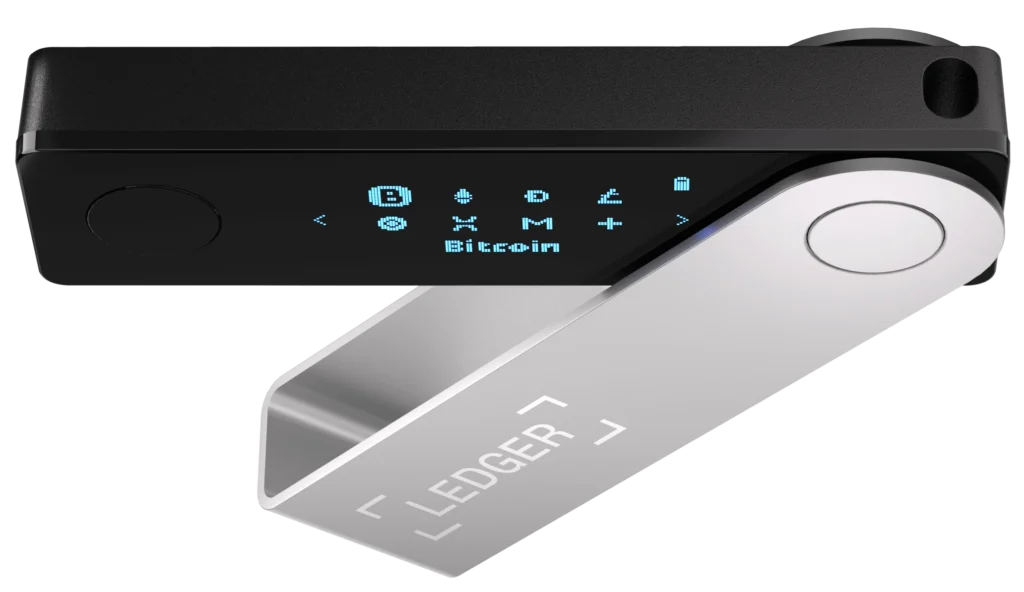
Ledger
- Largest blockchain support
- Secure element
- Closed-source firmware
- USB-C, Bluetooth
- $49-$149
Best for mobile users, frequent transactors, multi-coin
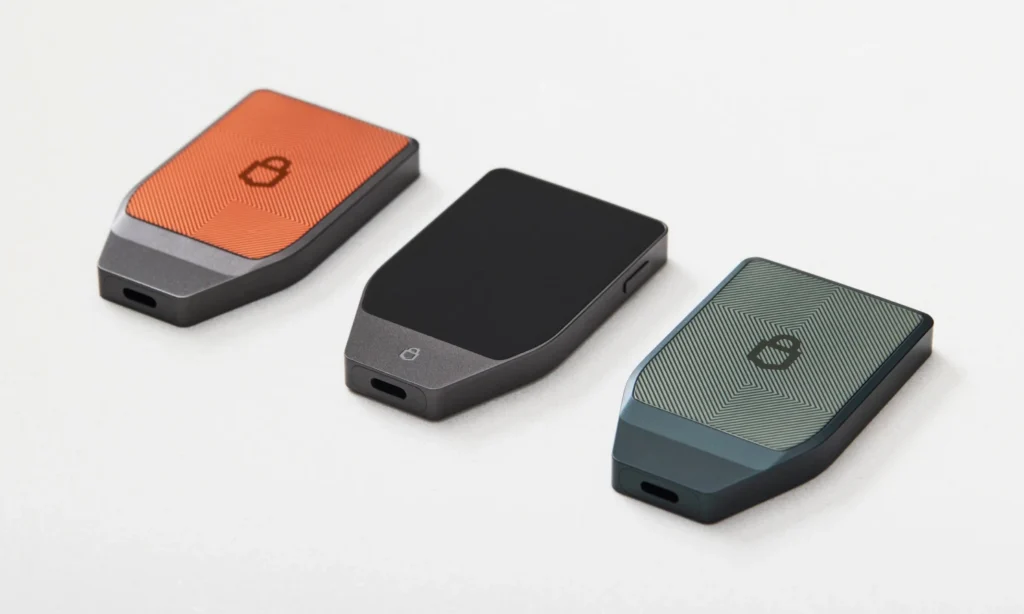
Trezor
- major chains via Trezor Suite
- Secure element
- Open-source firmware
- USB-C, Bluetooth
- $79–$169
Best for Beginners who value open-source + SE.
Choose your bitcoin cold wallet
Bitcoin Hardware Wallets comparison table
Built for BTC first.
They emphasize PSBT workflows, air‑gapped signing, and open‑source firmware—great for long‑term cold storage, privacy, and multisig.
Note: they’re often more advanced to operate; air‑gapped flows can be complex, so they suit confident or experienced users.
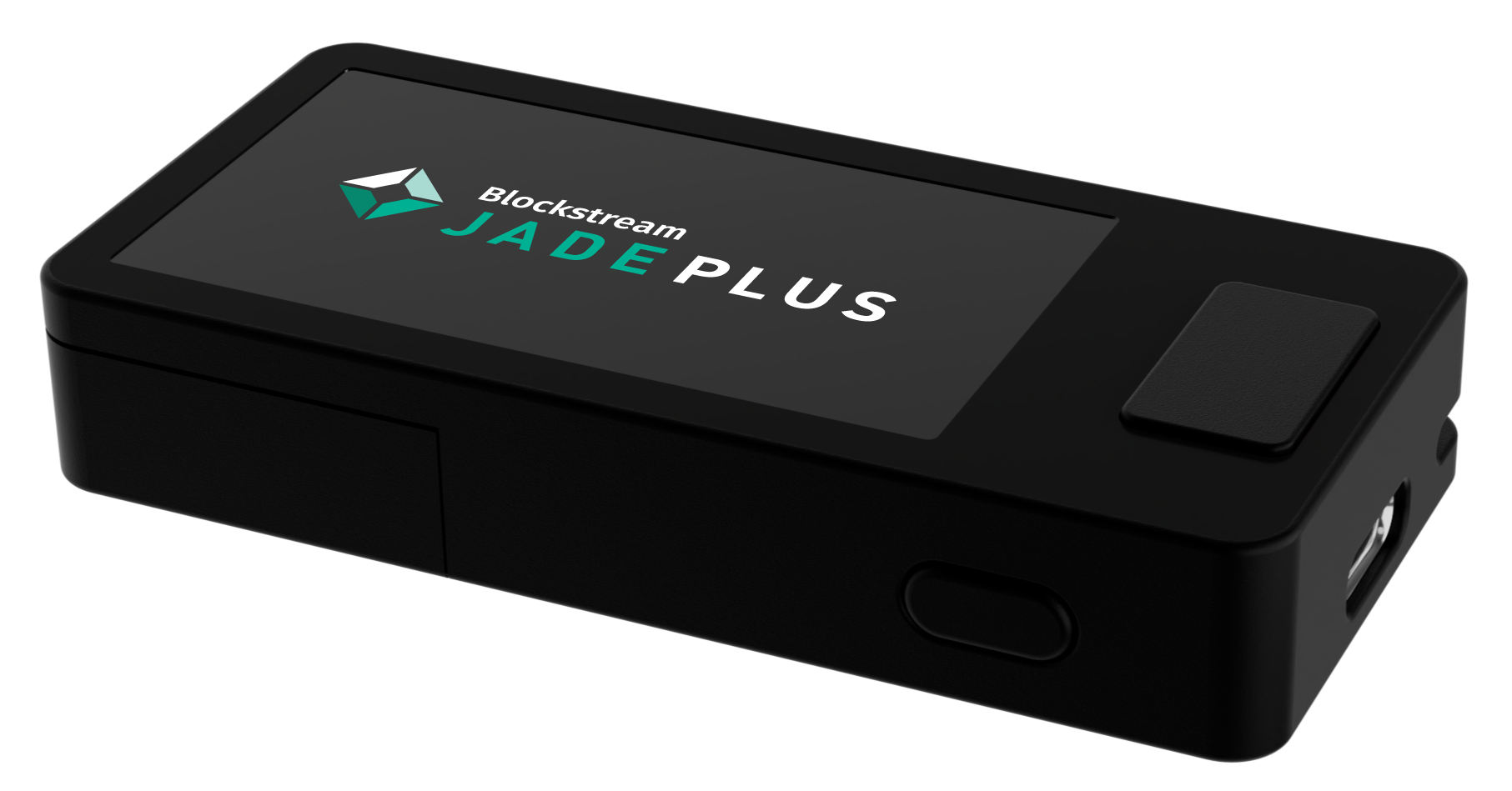
Blockstream Jade
- Support Bitcoin (+Liquid)
- Secure chip
- Airgap, Bluetooth, USB-c
- Open source firmware
- $79-$149
Best for Budget BTC users, mobile, QR signing.
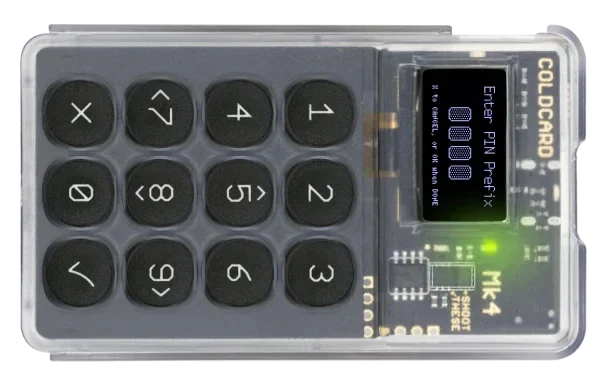
Coldcard
- Bitcoin-only
- Fully air‑gapped, QR + microSD, open-source, hardened
- Airgap, QR, microSD, USB-C (power)
- $177-$250
Best for Power users, air‑gapped workflows.
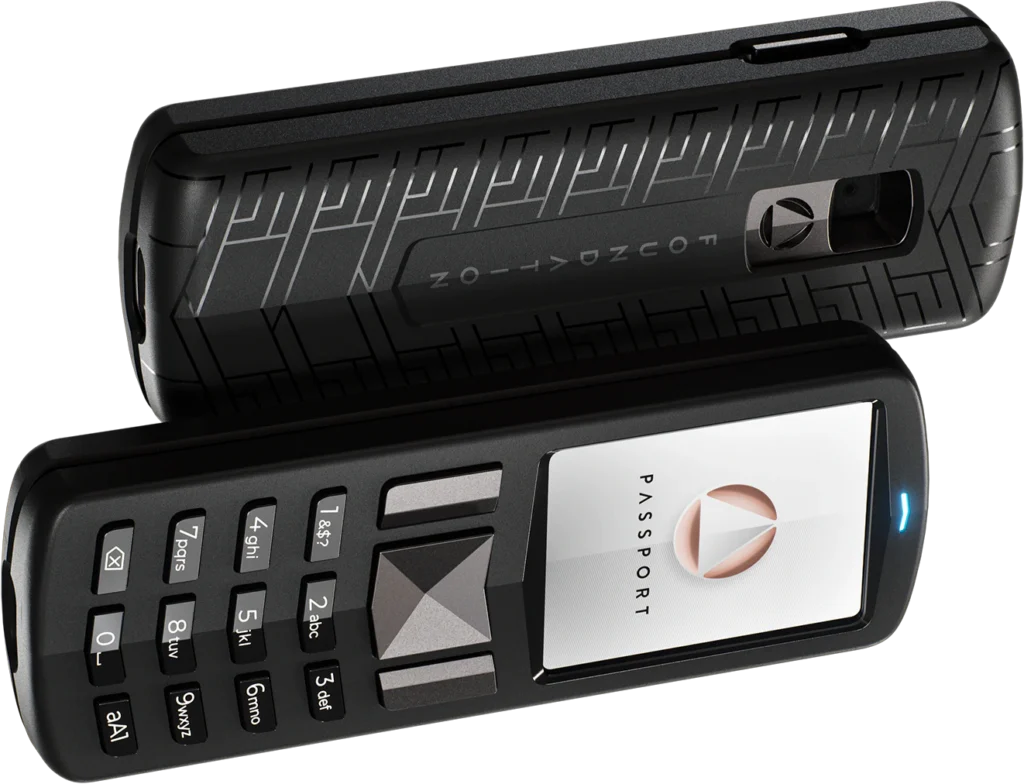
Foundation Passport
- Bitcoin-only
- Secure element
- Open-source firmware
- Air‑gapped, QR + microSD
- $199-$299
Best for Privacy-focused BTC users, multisig.
$10 Coupon with the code: P2PSTAKING
Ledger vs Trezor: the market leaders (comparison + best picks)
Ledger and Trezor are widely considered the two leading hardware wallet brands.
For most users, they cover nearly every common self-custody need—whether you’re simply holding Bitcoin long term, managing a multi-coin portfolio, or interacting with DeFi.
We published a full, updated Trezor vs Ledger comparison (models, security, privacy, supported coins, and best picks by profile).
What Is a Crypto Hardware Wallet?
A crypto hardware wallet is a small device that generates and stores your private keys offline.
It signs transactions inside the device, so your keys never touch your phone or computer. This “offline keys” model greatly reduces the risk of hacks, malware, and phishing, while still letting you send and receive normally.
“Crypto hardware wallet” vs “bitcoin hardware wallet”
“Crypto hardware wallet” usually means a device that can manage multiple coins and chains (BTC, ETH, tokens, etc.).
A “bitcoin hardware wallet” focuses on Bitcoin only, often with simpler, auditable designs and advanced BTC features like PSBT and multisig.
If you only hold BTC, a bitcoin‑only wallet can be cleaner and more focused; if you hold several assets, a multi‑asset wallet is more convenient.
“Cold wallet” vs “hot wallet” (pros/risks)
A “cold wallet” keeps your keys offline (hardware wallet or paper/metal backup).
A “hot wallet” keeps keys on an internet‑connected device (phone/computer).
Cold wallets offer much stronger protection against online attacks but are less convenient for frequent spending. Hot wallets are easy and fast, but they carry more risk from malware, phishing, and device theft.
When to choose a cold wallet
Choose a cold wallet if you plan to hold for the long term, keep meaningful amounts, or want maximum security and independence from exchanges.
Use a hot wallet for small, everyday amounts you’re comfortable risking—like cash in a pocket—while keeping your savings in cold storage.
“Crypto hardware wallet” vs “bitcoin hardware wallet”
“Crypto hardware wallet” usually means a device that can manage multiple coins and chains (BTC, ETH, tokens, etc.).
A “bitcoin hardware wallet” focuses on Bitcoin only.
Backup
- Bitcoin-only: One seed for BTC only. If you add other devices for other coins, you’ll manage multiple backups.
- Crypto (multi-coin): Simpler. One seed backup secures all your coins and chains. Fewer physical backups to manage.
Security
- Bitcoin-only: Tighter security profile (BTC-specific firmware/features). Less code, fewer integrations = fewer potential vulnerabilities.
- Crypto (multi-coin): Broader attack surface (more code, more integrations, more chains). Still strong, but more moving parts.
Ease of use
- Bitcoin-only: Very streamlined for BTC tasks, but you’ll need additional tools if you use other chains.
- Crypto (multi-coin): One tool for everything (BTC, ETH, tokens, EVM chains, etc.). Faster to learn one stack than several separate tools.
Use cases (crypto wallet)
- Multi-chain portfolio management in one place.
- DeFi and NFTs (EVM chains via WalletConnect; sometimes SOL/DOT via compatible apps).
- Staking and governance for supported networks (e.g., DOT, ATOM, XTZ).
- Swaps/bridges via dApps, plus broad token support (ERC‑20 and others).
If you want one device and app to manage diverse assets and dApps, choose a crypto (multi‑coin) hardware wallet for simpler backups and faster onboarding.
If your priority is maximum Bitcoin security and long-term cold storage, a Bitcoin‑only wallet is safer and cleaner.
Many users combine both: BTC‑only for long-term savings, multi‑coin for active use.
Seed Phrase and Backup
Self‑custody means you create your own recovery secrets and take responsibility for storing and restoring them correctly.
This process is the same whether you use a software wallet or a hardware wallet—the seed is the master key.
If any of this isn’t crystal clear, read our bitcoin and crypto self‑custody guide.
Hardware Wallet Security: What Really Matters
Security comes from how your keys are protected and how you use the device.
Some wallets use a secure element chip designed to resist physical extraction; others use a general microcontroller. Both can be safe when well‑designed, but secure elements add extra hardware protection against someone with your device in hand.
What matters most is the overall design, not just one chip.
Code
- Open‑source firmware lets independent experts review the code and find issues sooner.
- Audits by reputable security teams add confidence that the device works as intended.
- Transparency doesn’t replace good practices, but it helps you trust the wallet for the right reasons.
Connectivity
“Air‑gapped” hardware wallets keep signing fully offline, using QR codes or microSD cards to move unsigned/signed transactions. Air‑gapped flows reduce exposure to a compromised computer.
USB or Bluetooth connections can be convenient and are safe when implemented correctly.
Choose the workflow that matches your comfort: convenience (USB/Bluetooth) vs maximal isolation (QR/microSD).
Basic protections
Basic protections matter every day: set a strong PIN, and don’t share or reuse it.
Some devices add anti‑tamper checks and features like a duress PIN (opens a decoy wallet). Learn what your model offers and enable what you’ll actually use reliably.
Supply‑chain risk
Buying from official stores or trusted resellers.
Inspect packaging and seals, verify the device during setup (official app/firmware checks), and never accept a wallet that arrives pre‑initialized or with a prewritten seed.
This will prevent using a corrupt hardware.
Know the common threats
Phishing tries to trick you into typing your seed into a fake site or “support” chat—never do this.
Malware can swap addresses on your clipboard—always confirm the address on your device screen.
SIM swaps target exchange accounts and SMS 2FA—use app‑based 2FA or hardware keys for services.
Physical attacks are rarer but real—store your device and backups in secure places.
Cold wallet best‑practices checklist
- Generate and back up your seed offline (consider metal; store in two locations).
- Set a strong PIN and update firmware from official sources.
- Verify receive/send addresses on the device screen before approving.
- Never type, photograph, or upload your seed or passphrase.
- Buy from official channels; check seals and initialize yourself.
- Test recovery: restore using your backup on a spare/new device with a tiny amount.
- Consider a passphrase or multisig only if you can manage the extra complexity.
How to Choose Your Hardware Wallet ?
Choosing a hardware wallet starts with your use case. Here are quick recommendations by scenario:
Daily spending / small purchases
Use a hot wallet (mobile) for speed and convenience—Lightning for BTC, native wallets for ETH/SOL with fast confirmations.
Keep only small amounts here and top up from your hardware wallet as needed.
DeFi usage
Multi‑asset hardware wallet is best. The options listed above work well; Ledger stands out for broad, early integrations with new chains/dapps.
Pair it with a reputable desktop/mobile wallet and a hardware‑backed browser extension when possible.
Strong security / long‑term BTC savings
Prefer air‑gapped, bitcoin‑focused devices using PSBT and QR/microSD workflows (e.g., Coldcard, Passport). This minimizes attack surface and suits larger, long‑term holdings.
Consider multisig if you can manage the added complexity.
Supported Cryptocurrencies comparison table: BitBox02 vs. KeepKey vs. Ledger Nano X vs. Trezor Model T
Hardware wallets cryptocurrencies coverage changes often via firmware/app updates.
This table lists major coins and broad compatibility. “Partial” typically means via third‑party apps or limited features (e.g., watch‑only, no staking, or beta).
| Coin / Network | BitBox02 | KeepKey | Ledger Nano X | Trezor Model T |
|---|---|---|---|---|
| Bitcoin (BTC) | Yes (Native SegWit, Taproot) | Yes | Yes (incl. Taproot) | Yes (incl. Taproot) |
| Bitcoin Testnet/Signet | Yes | Partial | Partial | Yes |
| Ethereum (ETH) | Yes (BitBoxApp + WalletConnect) | Yes (ShapeShift/3rd‑party) | Yes (Ledger Live + dApps) | Yes (Trezor Suite + dApps) |
| ETH Tokens (ERC‑20) | Yes (via WalletConnect) | Partial | Yes (very broad) | Yes (very broad) |
| Polygon (MATIC) | Via WalletConnect (EVM) | Partial | Yes (Ledger Live + dApps) | Yes (via dApps) |
| Arbitrum / Optimism | Via WalletConnect (EVM) | Partial | Yes (dApps) | Yes (dApps) |
| Litecoin (LTC) | Yes | Yes | Yes | Yes |
| Bitcoin Cash (BCH) | Yes | Yes | Yes | Yes |
| BNB Chain (BEP‑20) | Via WalletConnect (EVM) | Partial | Yes (dApps) | Yes (dApps) |
| Avalanche C‑Chain | Via WalletConnect (EVM) | Partial | Yes (dApps) | Yes (dApps) |
| Fantom / Harmony / other EVMs | Via WalletConnect (EVM) | Partial | Yes | Yes |
| XRP (XRP Ledger) | No | Yes | Yes | Yes |
| Cardano (ADA) | No | No | Yes (3rd‑party wallets) | Yes (3rd‑party wallets) |
| Solana (SOL) | No | No | Yes (Phantom/Solflare) | Partial (check current support) |
| Polkadot (DOT) | No | No | Yes | Yes |
| Kusama (KSM) | No | No | Yes | Yes |
| Dogecoin (DOGE) | Yes | Yes | Yes | Yes |
| Dash (DASH) | Yes | Yes | Yes | Yes |
| Zcash (ZEC) | Yes (T‑addrs) | Yes | Yes (T‑addrs) | Yes (T‑addrs) |
| Monero (XMR) | No | No | No | No |
| Tezos (XTZ) | No | No | Yes | Yes |
| Cosmos (ATOM) | No | No | Yes | Yes |
| Thorchain (RUNE) | No | Partial | Partial/Yes (via XDEFI/Keplr) | Partial |
| Algorand (ALGO) | No | No | Yes | Partial |
| Stellar (XLM) | No | Yes | Yes | Yes |
| Tron (TRX) | No | No | Yes | Partial |
| EOS | No | No | Partial | Partial |
| NEAR | No | No | Partial | Partial |
| Bitcoin SV (BSV) | No | No | No | No |
| Ethereum Classic (ETC) | Yes | Yes | Yes | Yes |
| Groestlcoin (GRS) | Yes | Partial | Partial | Partial |
| Decred (DCR) | Partial (3rd‑party) | Partial | Partial | Partial |
| Nano (XNO) | No | No | No | Partial |
| Filecoin (FIL) | No | No | Partial | Partial |
| Aptos / Sui | No | No | Partial | Partial |
Step-by-Step Setup of a Bitcoin / Crypto Cold wallet
- Buy from the official store
- Purchase directly from the manufacturer or an authorized reseller.
- Avoid marketplaces and never accept a device that arrives pre-initialized or with a printed seed.
- Initialize offline, generate seed:
- Connect the device to power (or your computer) and follow the official app’s setup. Let the device generate a new wallet.
- Do this on a trusted network; keep other apps closed.
- Write seed, verify, store securely:
- Carefully write the 12/24 words by hand in the exact order.
- Verify on-device.
- Make two copies stored in separate, secure locations; consider a metal backup for fire/water resistance.
- Never photograph, scan, or type it.
- Update firmware:
- In the official app, check for firmware updates and apply them.
- Verify you’re using the vendor’s real site/app (URL, certificate, app publisher).
- Don’t disconnect during updates.
- Create accounts (BTC/ETH), get receive address:
- Add the coins you plan to use.
- For each, generate a receive address and confirm it on the device screen before sharing.
- Optionally label accounts (e.g., Savings, DCA).
- Test transaction (small amount):
- Send a tiny amount to your new address.
- Wait for confirmations, then optionally send a tiny spend to confirm you can sign and broadcast from the device.
- Enable options (passphrase, duress, coin control), if you understand them, enable advanced features:
- Passphrase: adds an extra secret; only use if you can back it up reliably.
- Duress/decoy PIN (if supported): optional protection.
- Document recovery procedure Write simple, clear steps for future you (or trusted heirs):
- where backups are
- device PIN/passphrase handling
- how to restore on a new device/wallet app
- who to contact for help (non-custodial).
- Store this document in a safe place separately from the seed.
- Do a first test of full restore with a small amount.
Sending/Receiving Safely with a hardware wallet
This section shows how to move funds safely with a hardware wallet. Follow these habits every time you send or receive to avoid malware tricks, fee surprises, and recovery issues—especially if you’re new to self-custody.
Verify the address on your device screen
Always confirm the full receive or send address on the hardware wallet’s screen before approving.
Malware can swap addresses on your computer or phone clipboard, but it can’t change what appears on the device. If the device display doesn’t match what you expect, cancel the transaction.
Coin control and change (BTC)
Bitcoin spends from specific UTXOs (coins).
Coin control lets you choose which ones to spend, helping with privacy and fee management. If you don’t select coins, your wallet will choose automatically.
Understand “change”: when you spend, the leftover often goes to a new change address in your wallet—verify change handling in your software wallet settings so you don’t confuse it with an external payment.
Fees, confirmations, common mistakes
Network fees change with demand. Use your wallet’s fee presets (low/normal/high) or set a custom fee if you understand it.
For Bitcoin, wait for at least 1 confirmation for small amounts and 3–6 for larger ones; for ETH and other chains, wait the recommended block confirmations shown in your wallet.
Common mistakes: sending to the wrong network (e.g., ETH token to a BTC address), mixing up testnet/mainnet, or reusing old addresses. When in doubt, send a tiny test first.
Regular recovery test
Periodically test that your backups work.
On a spare or freshly reset device, restore using your seed (and passphrase if used), then check that your expected balances and addresses appear.
Do this with a small amount first. A successful dry run proves you can recover funds if the original device is lost or damaged.
Privacy and Sovereignty
Data leaks
Your wallet can leak data if you share extended public keys (xpubs) or connect to third‑party servers.
An xpub can reveal all your addresses and balances to whoever sees it. Wallet apps that use public servers may also link your activity to an IP address.
Limit xpub sharing and be mindful of where your wallet connects.
Own node
For stronger privacy and sovereignty, connect your wallet to your own node.
Software wallets supporting hardware device like Sparrow and Specter make this straightforward for Bitcoin; some hardware wallets (including Ledger via advanced settings) can talk to your node so you don’t rely on external servers.
This keeps address lookups and transaction broadcasts under your control.
Coinjoins
Coinjoins can improve on‑chain privacy, but they add complexity, fees, and potential compliance scrutiny—use them only if you understand the trade‑offs and local regulations.
Address hygiene
Use a fresh receive address each time to avoid linking payments and don’t reuse addresses or post them publicly.
Keep KYC and non‑KYC funds in separate wallets or accounts, and be careful with xpubs, since sharing them can reveal all derived addresses and balances.
Network privacy
Tor for your wallet connections when supported by your tools.
If Tor isn’t available, use a reputable no‑logs VPN to mask your IP from third‑party servers.
Avoid using open public Wi‑Fi for wallet activity; stick to trusted networks or a mobile tether.
Coinjoins
Coinjoins can improve on‑chain privacy, but they add complexity, fees, and potential compliance scrutiny—use them only if you understand the trade‑offs and local regulations.
Maintenance and Long-Term Care
Firmware updates
Keep your device secure by installing firmware updates from the official app or site.
Updates fix bugs, patch vulnerabilities, and add features.
Verify you’re using the real vendor app/URL, read the release notes, and don’t disconnect during the process.
Backup rotation and checks
Treat backups as living assets.
Recheck your written seed for legibility and correct order, and confirm storage locations are still safe, dry, and discreet.
Consider a metal backup for durability. You don’t need to “rotate” seeds regularly; instead, verify you can still access them and that trusted locations haven’t changed. If you ever rewrite or relocate a backup, do it privately and destroy obsolete copies.
Inheritance plan (instructions, secret sharing)
Plan for inheritance so funds aren’t lost.
Write simple, non-technical instructions explaining where the seed (and passphrase, if used) is stored, which device/app to use, and how to restore.
Keep these instructions separate from the seed and share only with trusted heirs or a lawyer. If using secret sharing or multisig, document each part clearly and who holds what.
Lost/damaged device procedures
If your device is lost or damaged, don’t panic—your funds live on the blockchain, secured by your seed.
Acquire a new compatible wallet, restore using your 12/24 words (and passphrase if used), verify balances, and then consider moving funds to new addresses for peace of mind.
If you suspect theft or someone might know your PIN or seed, immediately move funds to a fresh wallet with a new seed.
Crypto Self‑Custody Checklist (free PDF)
Ready to begin your self‑custody journey?
Our Crypto Self‑Custody Checklist walks you through the essential actions for software and hardware wallets so you don’t miss any critical step.
It is a downloadable PDF that walks you through the essential actions for software and hardware wallets and includes pre‑printed tables where you can neatly write down your recovery seed.
13) TODO: Quick Brand Sheets (H2) + Links to Dedicated Reviews
For each: Ledger, Trezor, Coldcard, Jade, KeepKey, BitBox02, Passport
- Snapshot: positioning, key strengths
- Security: SE/open-source/air-gapped
- UX: app, screen, connectivity
- Coin support
- Price
- Ideal for
- CTA: Read review / Setup guide

Java‑certified engineer and P2PStaking CEO, I secure validators across Solana, Polkadot, Kusama, Mina, and Near. My articles reflect hands‑on wallet ops and real recovery drills so you can set up self‑custody safely, step by step.
Crypto and Bitcoin Hardware Wallets FAQ
What if I lose my wallet?
Your funds are safe if you have your 12/24‑word seed (and passphrase if used).
Buy a new compatible device, restore using the seed, verify balances, and optionally move funds to fresh addresses.
If someone may know your PIN/seed, move funds immediately after restoring.
Should I use a passphrase?
It adds an extra secret on top of your seed, creating a hidden wallet.
Great for advanced security and plausible deniability, but risky if you forget or misrecord it.
Use it only if you can document and recover it reliably.
Crypto hardware wallet vs bitcoin hardware wallet?
A crypto hardware wallet supports multiple coins/chains (BTC, ETH, tokens).
A bitcoin hardware wallet focuses on BTC only, often with simpler, auditable designs and advanced BTC features.
If you hold many assets, choose multi‑asset; if you’re BTC‑only, a bitcoin‑focused device can be cleaner.
Is Bluetooth unsafe?
Not inherently.
Properly designed wallets keep private keys inside the device and use encrypted channels. Bluetooth increases convenience, not key exposure.
Still, only pair with your own devices, keep firmware updated, and approve everything on the device screen.
Can I use multiple wallets?
Yes.
Many people keep a hot wallet for small, daily use and a hardware wallet for savings.
You can also separate funds by purpose (DCA, trading, long‑term) or by privacy needs (KYC vs non‑KYC), as long as you can manage the backups.
12 words vs 24 words?
Both are secure for most users.
24 words provide more entropy (stronger against brute force). If your device gives the choice, pick what you can back up reliably. The bigger risk is mishandling the backup, not using 12 vs 24.
How to avoid phishing?
Never type your seed into a website, app, email, or chat—only into a hardware device during recovery.
Download software/firmware from official sources, verify URLs/app publishers, and confirm addresses on the device screen before approving.
How to migrate to a new wallet?
Send a small test from the old wallet to the new wallet’s address, confirm it arrives, then move the rest.
Alternatively, restore your existing seed on the new device if it’s compatible. After migrating, consider generating a new seed on the new device and moving funds again for a clean start.
Is buying on Amazon safe?
Prefer the manufacturer’s store or authorized resellers.
Bitcoin and Crypto Hardware Wallet glossary
- Air‑gapped: A workflow where the signing device never connects to a networked computer; transactions move via QR or microSD.
- Change: The leftover BTC from a spend that returns to a new address in your wallet. Don’t confuse it with an external payment.
- Coin control: A feature letting you choose which UTXOs to spend for better privacy and fee management.
- Multisig (m/n): A setup where multiple keys are required to spend (e.g., 2 of 3). Improves security and shared custody.
- Passphrase: An extra word/phrase added to your seed that creates a separate, hidden wallet. Lose it and funds are unrecoverable.
- Secure element: A tamper‑resistant chip that adds hardware protection against extracting private keys from a device.
- Seed phrase (BIP39): A 12/24‑word backup that can recreate your wallet on any compatible device. Keep it offline and secret.
- UTXO (Unspent Transaction Output): Individual “coins” your Bitcoin wallet can spend. A transaction selects specific UTXOs.
- xpub (extended public key): A master public key that can derive all your wallet’s receive addresses. Sharing it reveals addresses/balances.