Quick answer (TL;DR)
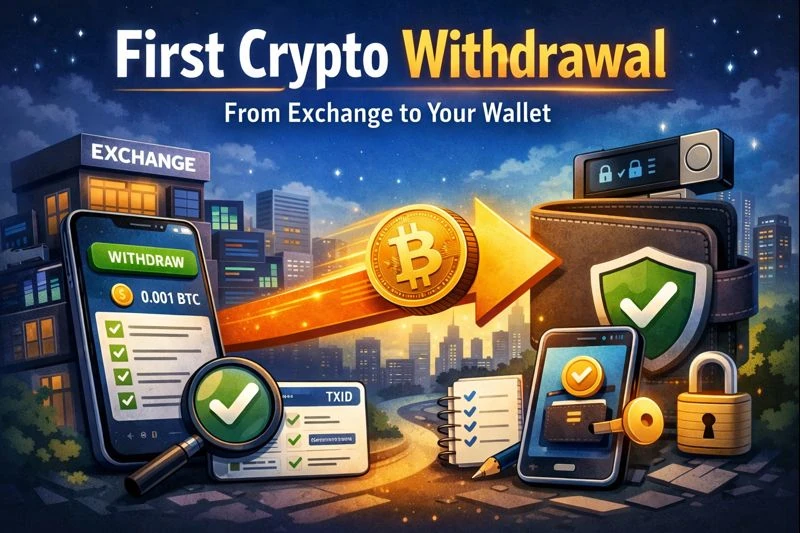
This First crypto Withdrawal guide walks you step-by-step through sending crypto from an exchange to your own wallet, safely—using the right network, a test transfer, and simple verification.
Key takeaways
- A small test transfer is your best safety tool
- The network must match (most common mistake)
- Verify the transaction using the TXID on a block explorer
- Use labels + allowlists to make future withdrawals safer
- Scale up only after the first crypto withdrawal succeeds
Who this is for
Anyone doing their first crypto withdrawal from an exchange to a software or hardware wallet.
This content is educational, not financial advice. Do your own research and follow local laws/regulations.
Disclosure: Some links may be affiliate links. If you buy through them, we may earn a commission at no extra cost to you. We keep our comparisons independent and research-based (read our Disclosure Policy).
First crypto Withdrawal: what it is (and why it matters)
A First crypto Withdrawal is your first time moving crypto from a custodial platform (exchange/broker) to a wallet you control. Done correctly, it reduces reliance on the platform and helps you build safe habits for self-custody.
What you need before your First crypto Withdrawal
1) A wallet you control
- Software wallet (mobile/desktop) or hardware wallet
- Recovery phrase backed up safely (if applicable)
2) A basic security baseline
Before your first crypto withdrawal, make sure:
- 2FA is enabled on the exchange (no SMS if possible)
- Email account has 2FA
- Withdrawal allowlist/whitelist is enabled (if available)
➡️ Go deeper: Exchange Security Setup
Step-by-step: First crypto Withdrawal to your own wallet
Step 1 — Pick the asset and start small
For your First crypto Withdrawal, don’t send “everything”.
- Choose the asset you want to withdraw
- Start with a small amount for the test
Step 2 — Get the receiving address from your wallet (not from messages)
Open your wallet → Receive → copy the address.
- Don’t take an address from email/DMs
Step 3 — Choose the correct network (the #1 First crypto Withdrawal mistake)
Rule: the network chosen on the exchange must match what your wallet supports for that asset.
Examples (simple)
- ETH on Ethereum ≠ ETH on BSC ≠ ETH on Polygon
- USDT and USDC exist on multiple networks (ERC-20, TRC-20, etc.)
If you’re unsure, stop and double-check the network before you withdraw. On-chain transactions are final, so a wrong network can be costly and hard to recover.
Step 4 — Check memos/tags (only if prompted)
Some transfers require a memo/tag (often for exchange deposits of XRP/XLM, etc.).
For withdrawals to your own wallet, it’s usually not required—but if the exchange asks for one, pause and confirm what it expects.
Step 5 — Paste the address and do a quick “sanity check”
Before confirming your first crypto withdrawal:
- Compare the first 4 and last 4 characters
- Confirm asset + network are correct
- Save the address in address book with a clear label (asset + network)
Step 6 — Send a small test transfer (recommended every first time)
This is the key step in a safe First crypto Withdrawal.
- Confirm the withdrawal
- Expect exchange processing time + network confirmations
Step 7 — Track your withdrawal using the TXID (block explorer)
Find the TXID/transaction hash in the exchange withdrawal history.
- Open it in a block explorer
- Check status and confirmations
Step 8 — Confirm funds arrived in your wallet
- Confirm the wallet shows the correct asset/network
- Some wallets require adding the token manually (common with stablecoins)
Step 9 — Lock it in for next time (labels + allowlist)
After your first crypto withdrawal succeeds:
- Enable/add the address to your withdrawal allowlist (if available)
- Label it clearly: “My wallet — [asset] — [network]”
Note on Bitcoin: Bitcoin uses the UTXO model, and most wallets automatically generate a new receiving address to improve privacy. It’s normal (and recommended) to use a new BTC address for each withdrawal.
You can still use a withdrawal allowlist with previously used BTC addresses, but it may reduce your privacy by encouraging address reuse.
Step 10 — Withdraw more (optional)
Only after the test arrives:
- Repeat the same network and address
- Increase gradually
First crypto Withdrawal checklist (copy/paste)
✅ Address copied from wallet “Receive” screen
✅ Correct network selected on the exchange
✅ Memo/tag checked (if prompted)
✅ Small test transfer sent
✅ TXID verified in a block explorer
✅ Funds confirmed received before sending more
Common First crypto Withdrawal mistakes (and fixes)
Wrong network selected
Fix: stop immediately; don’t send more; check whether recovery is possible (depends on wallets/exchanges).
Address poisoning / copy-paste traps
Fix: check first/last characters; use allowlists; avoid copying addresses from messages.
“Completed” but not received
Fix: check TXID, confirm you’re viewing the right network in your wallet, and add the token if needed.
Rushing (attackers want you stressed)
Fix: Slow down—many scams are designed to put you in a hurry so you skip checks. Most withdrawal mistakes are irreversible, so prioritize accuracy over speed (and ignore “limited-time” pressure).
Troubleshooting your First crypto Withdrawal
Withdrawal stuck on “processing”
- Exchanges may batch withdrawals
- Wait for TXID; if none appears for a long time, contact support via official site (not email links)
TXID exists but wallet shows nothing
- Confirm you selected the right network view
- Add the token manually (common for USDT/USDC)
I sent to the wrong network
- Do not send more
- Recovery may be possible but is not guaranteed: contact exchange support
First crypto Withdrawal Summary
A safe First crypto Withdrawal uses the correct network, starts with a small test transfer, and verifies receipt using the TXID on a block explorer before sending larger amounts.
Next step: read our self-custody guide
Ready to Take Control of Your Crypto?
Go deeper into self‑custody, software wallets, hardware wallets, and practical guides.

Java‑certified engineer and P2PStaking CEO, I secure validators across Solana, Polkadot, Kusama, Mina, and Near. My articles reflect hands‑on wallet ops and real recovery drills so you can set up self‑custody safely, step by step.
FAQ — First crypto Withdrawal
How long does a First crypto Withdrawal take?
Minutes to hours depending on exchange processing and network congestion.
Should I always do a test transfer on my First crypto Withdrawal?
Yes—especially for a new address, a new asset, or a new network.
Do I need a memo/tag for my first crypto withdrawal?
Usually no for self-custody wallets, but if the exchange prompts for it, verify carefully.
Can I reverse a mistaken first crypto withdrawal?
In most cases, no. That’s why test transfers + network checks matter.
Is it safer to withdraw to a hardware wallet?
For long-term holding, generally yes—especially if your phone/computer could be compromised.