Crypto self‑custody has matured far beyond a single‑chain experience. If you hold Ethereum, stablecoins or altcoins and regularly interact with DeFi protocols, you need more than a simple storage device; you need a hardware wallet that keeps up with multi‑chain workflows. Hot wallets are convenient, but they leave your private keys exposed to the internet and increase the risk of malware or phishing attacks. A hardware wallet isolates your keys offline, letting you authorise transactions securely across networks without compromising control. This page is aimed at advanced users and DeFi participants who want to protect their multi‑asset portfolio while maintaining flexibility and usability.
This content is educational, not financial advice. Do your own research and follow local laws/regulations.
Disclosure: Some links may be affiliate links. If you buy through them, we may earn a commission at no extra cost to you. We keep our comparisons independent and research-based (read our Disclosure Policy).
Quick answer: best crypto hardware wallets for you
Prices fluctuate depending on promotions, so the amounts below reflect typical baseline pricing. Always check the official website—discounts are frequent during holidays and product launches.
| Wallet | Best for | Why choose it | Price |
|---|---|---|---|
| Ledger Nano X | DeFi & multi‑chain explorers | Secure element (CC EAL5+) keeps keys offline; supports thousands of tokens; Bluetooth and USB connectivity; Ledger Live ecosystem with dApp integrations | $99 View Ledger Nano X price |
| Trezor Safe 3 | Open‑source & user friendly | Transparent firmware and passphrase support; Secure Element; Trezor Suite desktop app with multi‑asset support | $59 View Trezor 3 price |
| BitBox02 Nova | Minimalist multi‑asset storage | Swiss‑made with dual‑chip secure element and epoxy potting; microSD backup/restore; open‑source firmware; supports Ethereum, EVM chains and more | $172 View Bitbox02 price |
| SafePal S1 | Budget multi‑chain wallet | Air‑gapped camera signing; supports dozens of blockchains and thousands of tokens; mobile app for swaps and staking | $49 |
| KeepKey | Simple multi‑asset entry | Large screen and single‑button interface; integrates with ShapeShift for swaps; supports Bitcoin, Ethereum and ERC‑20 tokens | $59 View KeepKey price |
For cross‑chain users, Ledger Nano X remains the most versatile choice. Trezor Safe 3 and BitBox02 Nova appeal if you want a transparent security model and a minimalist setup. SafePal S1 packs impressive multi‑chain support at a low price, while KeepKey is a straightforward entry point with an easy‑to‑read screen.
Detailed reviews and use cases
Ledger Nano X – Best for multi‑chain DeFi and NFTs
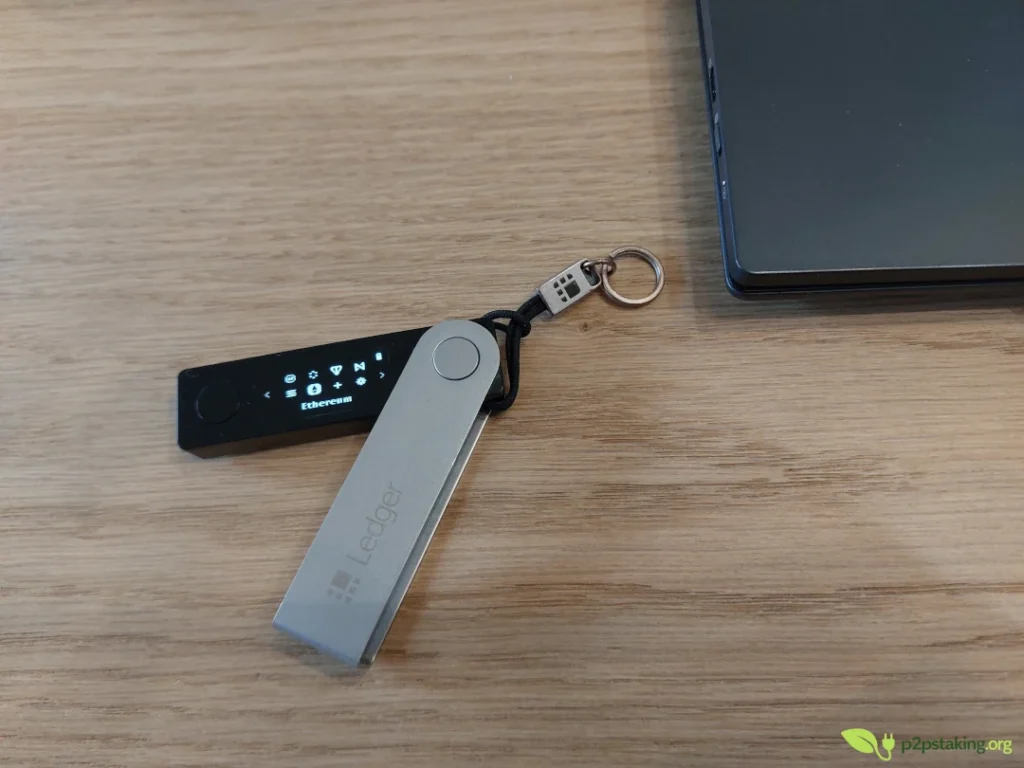
Ledger has long dominated the multi‑chain hardware wallet space. The Nano X includes a secure element certified CC EAL5+ to isolate your keys. It pairs with the Ledger Live app for buying, swapping and staking across Ethereum, Solana, Cardano and thousands of tokens. Bluetooth allows mobile signing while keeping your keys offline, and the large storage capacity can host dozens of independent apps at once.
Pros:
- robust multi‑chain support
- intuitive mobile and desktop apps
- early dApp integration.
Cons:
- closed‑source firmware and the optional Ledger Recover service have drawn criticism
- more expensive than entry‑level models
Trezor Safe 3 – Best open‑source experience
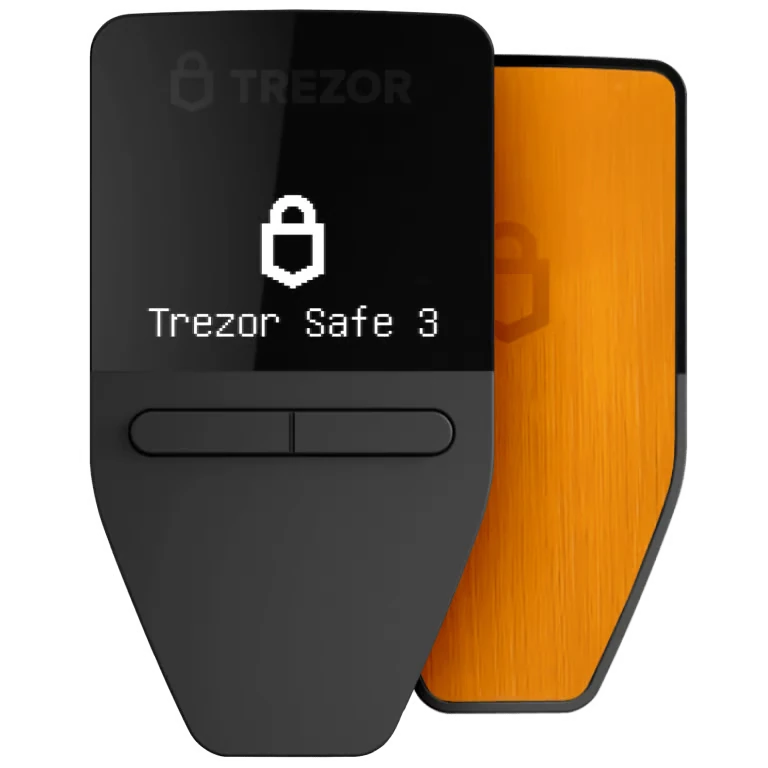
Trezor pioneered hardware wallets and continues to prioritise transparency. The Safe 3 introduces a secure element while preserving fully open‑source firmware, passphrase protection and a clear desktop interface. A Bitcoin‑only edition eliminates altcoin code for extra simplicity.
Pros:
- open and auditable firmware; easy onboarding
- passphrase support
- widely compatible with wallets like Sparrow and Electrum
Cons:
- no Bluetooth
- limited mobile functionality
- lacks some advanced DeFi integrations
BitBox02 Nova – Best minimalist multi‑asset wallet
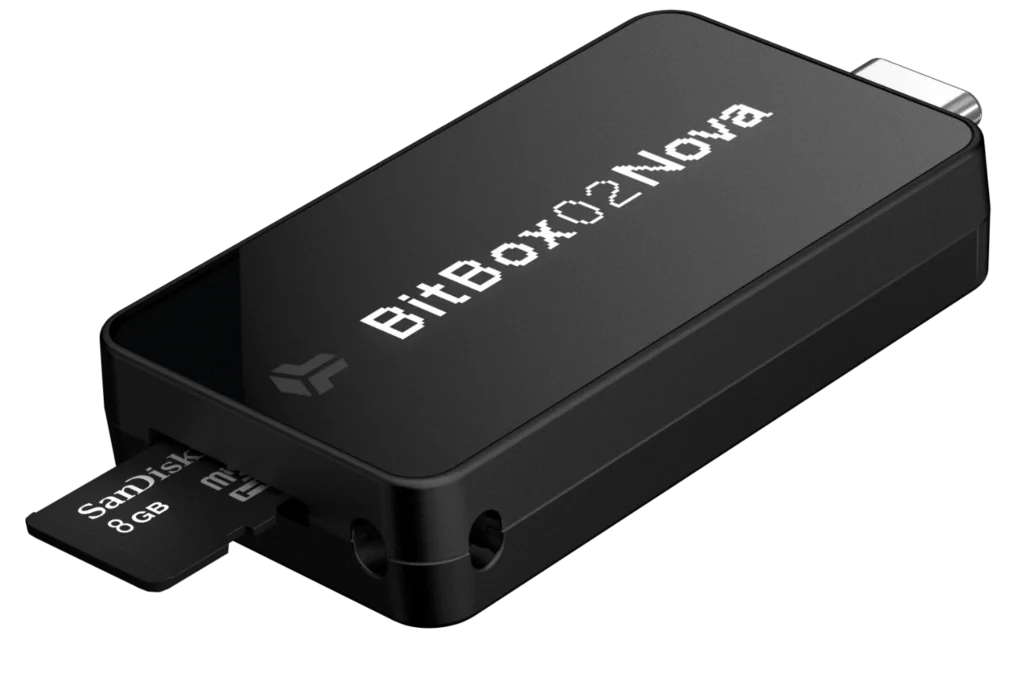
Swiss‑made BitBox02 Nova (formerly the multi‑asset BitBox02) combines a dual‑chip secure element with epoxy potting and a microSD for fast, offline backups. The device is minimalist—there are no buttons (you squeeze the sides to confirm)—and the companion app guides you through setup. It supports Bitcoin, Ethereum and EVM‑compatible chains with in‑app swaps via integrated partners.
Pros:
- microSD backup/restore
- open‑source firmware; small form factor
- compatibility with third‑party wallets for more advanced features.
Cons:
- no Bluetooth or QR signing
- smaller ecosystem compared to Ledger
- price higher than some alternatives
SafePal S1 – Best budget option for DeFi adventurers
SafePal’s S1 offers a surprising array of features for its price. The wallet uses an air‑gapped QR camera for signing and supports more than 30 blockchains plus countless tokens. The mobile app includes swaps, staking and yield farming. SafePal lacks the polished finish of pricier devices, but if you want to explore DeFi with minimal upfront cost it’s a strong contender.
Pros:
- affordable
- wide coin coverage
- air‑gapped signing
- DeFi integration.
Cons:
- proprietary firmware
- limited open‑source audits
- smaller screen
KeepKey – Simplest multi‑asset entry
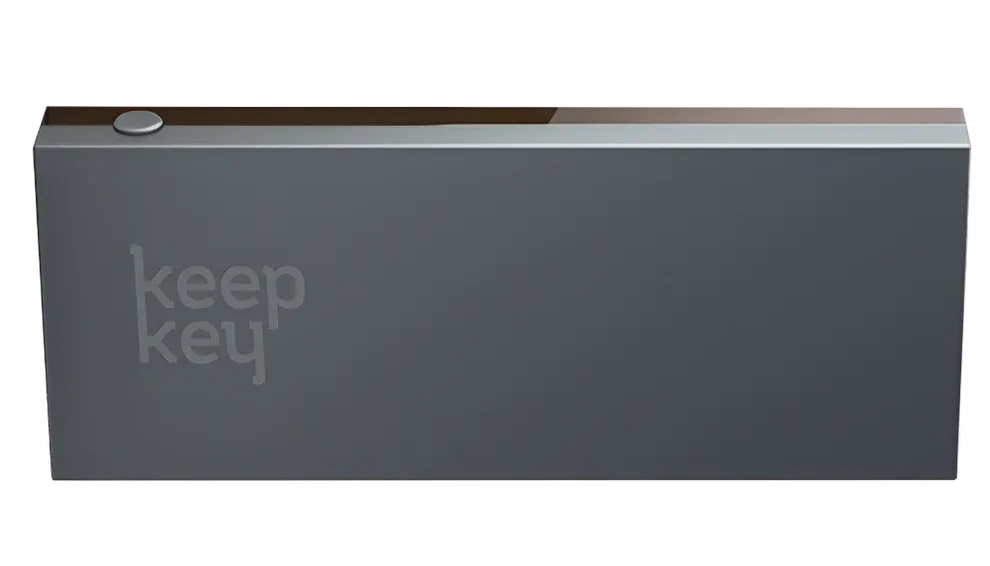
KeepKey’s large screen and single‑button interface appeal to newcomers. It integrates with ShapeShift for easy swaps and supports major cryptocurrencies such as Bitcoin, Ethereum, Litecoin and ERC‑20 tokens. Firmware updates and security audits have been slower in recent years, but as a basic multi‑chain cold storage device it still deserves mention.
Pros:
- affordable
- intuitive
- integrated exchange
Cons:
- slower development cadence
- lacks secure element
- limited token support compared to Ledger
Why multichain hardware wallets matter
Most crypto users no longer operate on a single network. Ethereum, EVM‑compatible chains, stablecoins, Layer 2s and DeFi protocols all require signing transactions across different ecosystems.
A multi‑asset hardware wallet lets you keep your keys offline while interacting with this diverse landscape. When you connect to a dApp, the wallet signs transactions internally and only exposes signatures—not your private keys. That reduces risk from malware or phishing and still lets you use bridges, yield farms and NFT marketplaces.
In practice, choosing a multi‑chain wallet means you can hold ETH, USDC and tokens from various chains and experiment with DeFi without buying a separate device for each network.
Our approach (why listen to us?)
At P2P Staking we’ve had direct experience with most major hardware wallets.
Ledger devices (Nano S and Nano X) have been our daily drivers when interacting with new protocols and testnets, thanks to their broad coin support and early integration with DeFi projects.
We’ve also used Trezor and BitBox devices for multi‑asset portfolios because their open‑source firmware and simple backups make them reliable for everyday use.
For users with limited budgets, we’ve recommended SafePal S1 and KeepKey to explore DeFi without a large upfront cost.
Through that experience we’ve learned that the best hardware wallet depends on your profile: a validator managing multiple chains requires flexibility and software integrations, while an advanced user who spends most time on EVM chains may value simplicity and open‑source transparency. That real‑world perspective shapes our recommendations.
How we evaluated these wallets
Our evaluation framework draws on both objective security criteria and practical usability:
- Security architecture: We examined whether the device employs secure elements, open‑source firmware, reproducible builds and anti‑tamper features. For example, Ledger uses a CC EAL5+ certified chip and isolates signing inside the device, while Trezor and BitBox rely on open‑source code with transparent security models.
- Multi‑chain coverage: How many networks does the wallet support? Ledger and SafePal cover dozens of blockchains, whereas some specialised devices focus exclusively on Bitcoin.
- Backup and recovery: We favour wallets with clear backup processes. BitBox02 uses a microSD card for fast offline backups, while Trezor and Ledger guide you through seed phrase verification.
- Software compatibility: The ability to pair your hardware wallet with desktop or browser wallets determines how far you can go. Trezor, BitBox02 and Ledger all integrate with popular software like Sparrow, Electrum and MetaMask, letting you control your UTXOs or interact with DeFi protocols; SafePal and KeepKey rely more on their companion apps.
- User experience: We considered onboarding, screen size, input methods (buttons, touchscreen, QR), mobile connectivity (Bluetooth) and the learning curve. The goal is to recommend devices that beginners can use correctly and advanced users can grow into.
- Community feedback: We analysed user reviews from forums and beginner discussions. Common themes include the ease of Trezor and BitBox02, the value proposition of SafePal and the steeper learning curve of more advanced Bitcoin‑only devices.
Mistakes to avoid with crypto hardware wallets
- Skipping the recovery test: Always perform a dry‑run recovery before depositing significant funds. A hardware wallet only protects you if you can restore it.
- Storing your seed digitally: Never keep your recovery words on your phone, computer or cloud. Use an offline medium (paper or metal) to prevent malware or hacks.
- Delaying firmware updates: Updates often fix security vulnerabilities. Make a habit of connecting your device to check for new firmware and install it promptly.
- Leaving coins on exchanges: A hardware wallet only helps if you actually transfer your crypto off the platform. Move your assets into self‑custody once your device is ready.
- Overcomplicating your setup: Use passphrases, multisig or advanced features only when you fully understand them. Complexity can introduce new risks.
Conclusion and final recommendations
The best crypto hardware wallet depends on your priorities:
- Multi‑chain DeFi & NFTs: Ledger Nano X for broad compatibility and polished UX.
- Open‑source & user friendly: Trezor Safe 3 or BitBox02 Nova for transparent security and simple backups.
- Budget entry to DeFi: SafePal S1 offers surprising value and wide chain support.
- Simple multi‑asset cold storage: KeepKey provides an intuitive interface and integrated swap service.
Whichever device you choose, take the time to learn the recovery process, keep your seed phrase offline and update firmware regularly. A hardware wallet is a powerful tool—but it’s only as secure as your operational practices.
Note: Ledger and Trezor also offer premium models that come at a significantly higher price point. They mainly improve comfort — larger screens, easier transaction validation, and smoother device interaction — while offering a security level that remains broadly comparable to the devices covered here.

Java‑certified engineer and P2PStaking CEO, I secure validators across Solana, Polkadot, Kusama, Mina, and Near. My articles reflect hands‑on wallet ops and real recovery drills so you can set up self‑custody safely, step by step.
Ready to Take Control of Your Crypto?
Go deeper into self‑custody, software wallets, hardware wallets, and practical guides.
Crypto Hardware Wallet FAQ
What’s the best crypto hardware wallet for DeFi?
For DeFi explorers, Ledger Nano X stands out because it supports thousands of tokens, integrates with dApps via Ledger Live and connects via Bluetooth or USB. It balances convenience with offline security.
Are hardware wallets worth it?
If you hold more than a small amount of crypto, a hardware wallet provides strong protection against internet‑based attacks by keeping your keys offline. However, if the cost of the device exceeds your holdings, a mobile wallet might suffice until your portfolio grows.
Can one hardware wallet manage multiple chains?
Yes. Devices like Ledger Nano X and SafePal S1 support dozens of blockchains and thousands of tokens. Others focus exclusively on Bitcoin, deliberately restricting support to a single asset in exchange for maximum simplicity and security.
Is open‑source firmware important?
Open‑source firmware allows independent audits and increases transparency. Trezor and BitBox02 run fully open‑source code, while other devices like Ledger and SafePal use closed‑source or partially open firmware.
What about quantum‑resistant wallets?
Newer devices like Trezor Safe 7 (not yet widely available) feature chips designed to be auditable and quantum‑ready. For most users this is not a critical requirement today, but it may become relevant in the future.