Choosing the right Bitcoin hardware wallet
Choosing the right Bitcoin hardware wallet is one of the most important decisions you can make to secure your BTC over the long term. A hardware wallet keeps your private keys offline, away from connected devices, making it one of the safest ways to store Bitcoin. But a wallet is not just a gadget — it is a process that must be understood, mastered, and practiced.
This guide does not simply list specifications. It helps you understand what truly matters:
- your level of expertise
- the choice between Bitcoin-only devices and multi-asset models
- the balance between security and usability
- the mistakes to avoid
This content is educational, not financial advice. Do your own research and follow local laws/regulations.
Disclosure: Some links may be affiliate links. If you buy through them, we may earn a commission at no extra cost to you. We keep our comparisons independent and research-based (read our Disclosure Policy).
Quick Answer : Best Bitcoin Hardware Wallets for You
If you want an immediate overview, here are the most relevant choices today. Each name links to the manufacturer’s site via our affiliate link.
| Wallet | Best for | Rationale | Action |
|---|---|---|---|
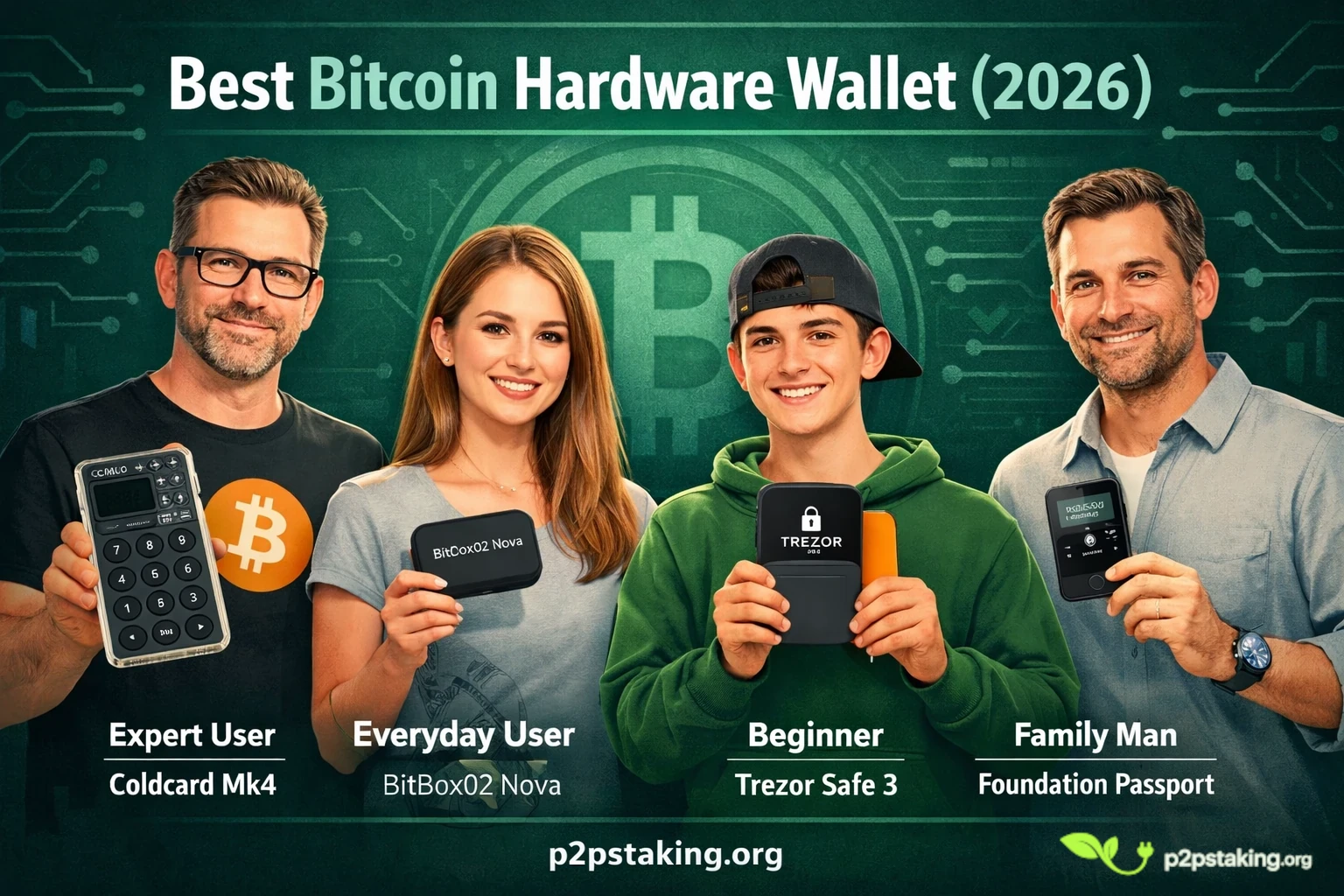
| Coldcard Mk4 | Advanced users | Air-gapped operation, Bitcoin-only, advanced multisig and passphrase setups | → Check price |
| BitBox02 (Bitcoin-only) | Most users | Balanced security and simplicity, open-source firmware, long-term storage | → Check price |
| Trezor Safe 3 | Beginners | Intuitive setup, transparent design, strong community | → Check price |
| Blockstream Jade | Budget / Mobile | Affordable, QR workflows, mobile-first design | → Check price |
| Foundation Passport | Long-term sovereignty | Premium build, fully air-gapped, uncompromising custody | → Check price |
If you are unsure, BitBox02 or Trezor are generally the best starting points.
For maximum control, choose Coldcard.
For budget or mobile usage, Jade is highly practical. Passport is designed for users seeking a high level of sovereignty.
Our approach to hardware wallets
Security and usability are not opposites — they are both essential. Two types of risks exist:
- External threats: hacking, phishing, malware, compromised devices. Hardware wallets reduce these risks by keeping private keys offline.
- Internal mistakes: lost seed phrases, poorly managed backups, overly complex workflows. Excessive complexity can increase risk; there is no point protecting against hackers if you lose your funds due to user error.
The goal is to build a system you understand and can manage confidently.
A wallet that is too advanced for your level creates more risk than it removes. This guide helps you find the right balance.
Security vs usability in practice
Each device sits somewhere between control and simplicity. Advanced wallets offer features like air-gapping, multisig, and passphrase-based wallets, but require expertise. Simpler wallets reduce friction but offer less flexibility.
Coldcard Mk4 — maximum control
The Coldcard Mk4 is designed for Bitcoin maximalists seeking full control. It operates air-gapped using microSD or QR codes. It supports PSBT, multisig, and is Bitcoin-only, reducing attack surface. You can derive multiple wallets from a single seed using passphrases, which is powerful but requires discipline.
If you understand Bitcoin tools and want sovereignty, Coldcard is a strong choice.
→ Check price and availability
BitBox02 (Bitcoin-only) — best balance
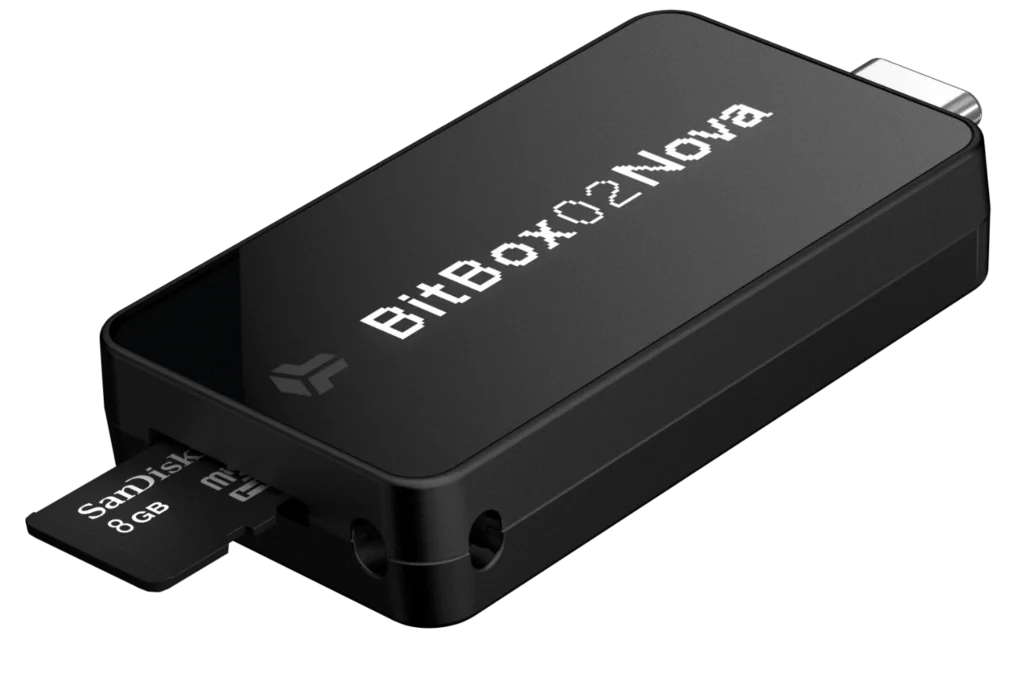
The BitBox02 Bitcoin-only edition strikes a strong balance between security and simplicity. Its firmware is open-source, and backups are handled via microSD. The interface guides users step-by-step.
Most users complete their setup correctly and understand their wallet, which is critical.
→ Check current price
Trezor Safe 3 — best for beginners
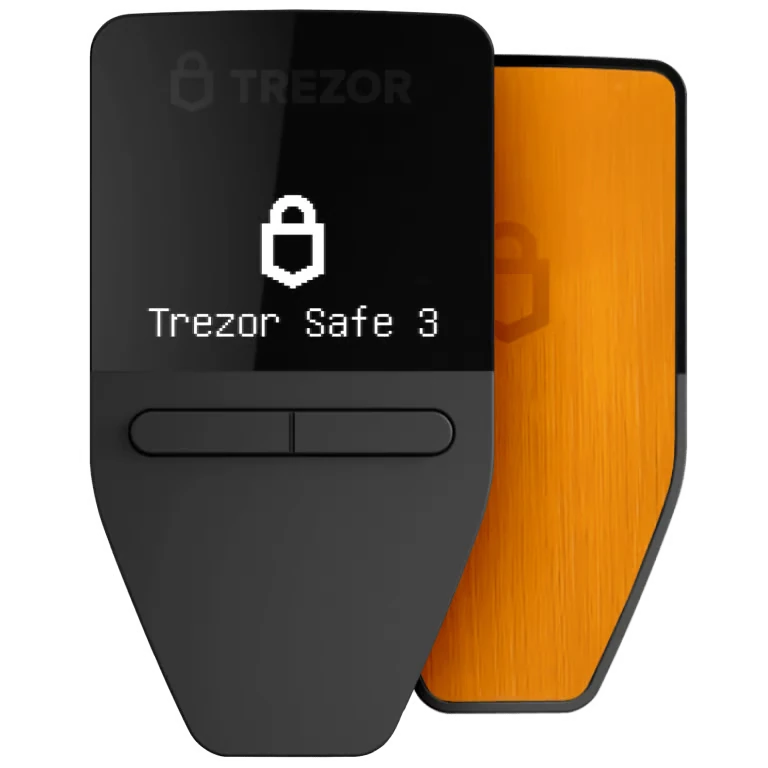
The Trezor Safe 3 continues the tradition of simplicity. The interface is clear, and the setup process is guided. It is open-source and easy to use.
Ideal for beginners, with the possibility to grow into more advanced tools later.
→ Check availability
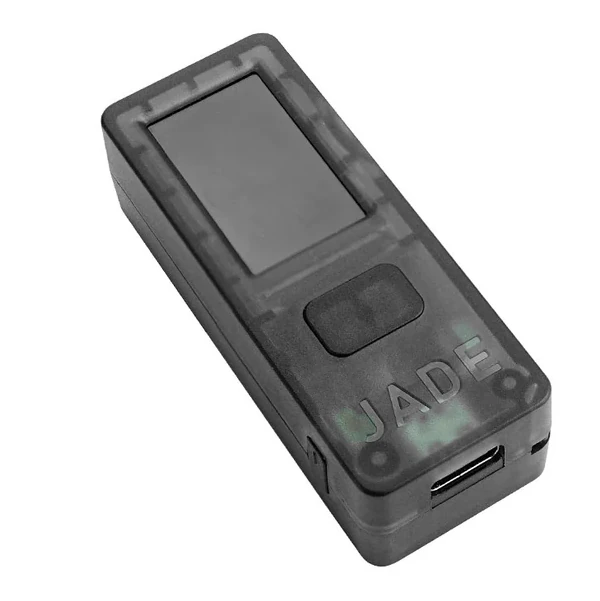
Blockstream Jade — practical and affordable
The Blockstream Jade is designed for budget-conscious users. It supports QR-based workflows, mobile apps, and open-source firmware.
A strong option for simple, mobile-friendly Bitcoin storage.
→ View current price
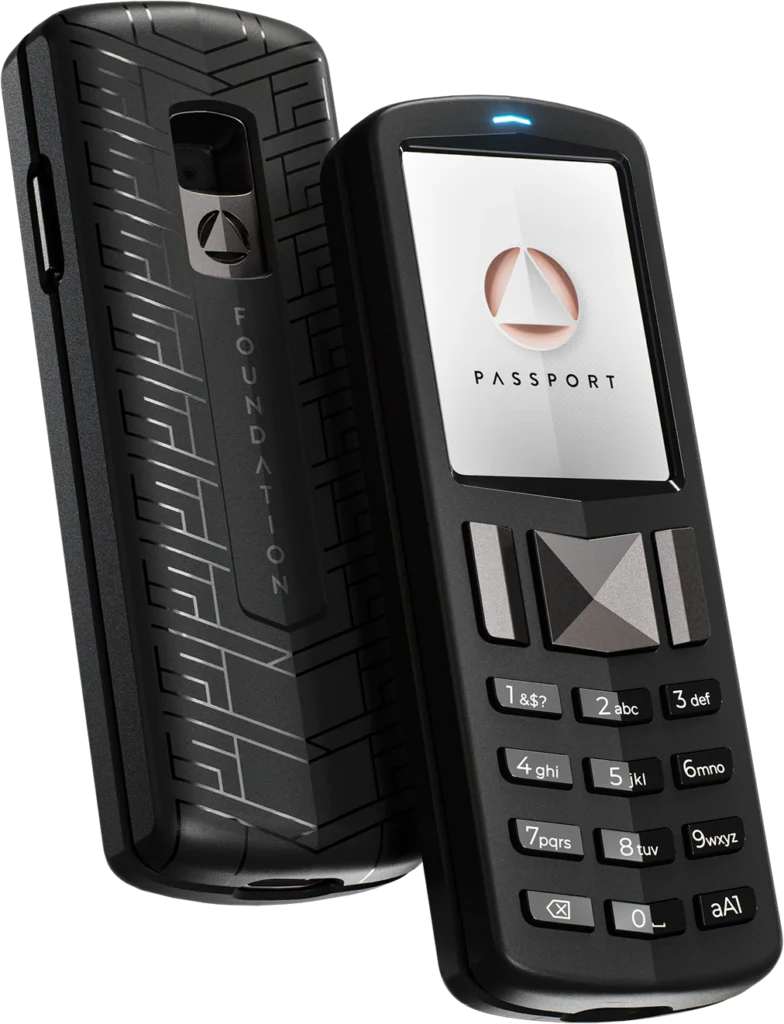
Foundation Passport — premium sovereign storage
The Passport is designed for long-term Bitcoin holders. It offers air-gapped operation, a premium interface, and compatibility with advanced tools.
A more user-friendly alternative to Coldcard, with strong sovereignty focus.
→ Check price
How to choose a Bitcoin hardware wallet
The best choice depends on several factors:
- Experience level: Advanced users may prefer Coldcard or Passport. Beginners should choose Trezor or BitBox02.
- Bitcoin-only vs multi-asset: Bitcoin-only wallets reduce complexity and attack surface. Multi-asset wallets offer flexibility.
- Budget and mobility: Jade is affordable and mobile-friendly. Premium wallets cost more but offer more control.
- Long-term strategy: Cold storage requires more secure setups, while active usage requires simplicity.
The best wallet is the one you understand and can recover.
Bitcoin-only vs multi-asset hardware wallets
When Bitcoin-only makes sense
Bitcoin-only wallets reduce complexity and focus entirely on BTC. Ideal for long-term holders and large amounts.
When multi-asset makes sense
Multi-asset wallets support Ethereum, stablecoins, and other assets. They are practical for diversification and simplicity.
Real-world setup (P2PStaking.org experience)
In practice, the choice between a Bitcoin-only and a multi-asset hardware wallet often becomes clear over time.
At P2P Staking, we initially used Ledger devices (Nano S, then Nano X) to manage all our assets — including Bitcoin. This made sense at the time: one device, broad compatibility, and fast support for new networks, especially across Proof-of-Stake ecosystems.
But our Bitcoin usage evolved.
We’re not miners, and we don’t actively use Bitcoin on a daily basis. It’s primarily long-term treasury storage.
As a result, our priorities shifted toward simplicity, control, and minimizing risk.
That’s when we moved our Bitcoin storage to Coldcard.
What we value most in that setup is:
- precise control over UTXOs
- better privacy management
- fully air-gapped transaction signing
- secure and independent firmware updates
For long-term Bitcoin storage, removing unnecessary layers makes a real difference.
At the same time, we still use Ledger for everything else.
Its flexibility, broad asset support, and fast integration of new ecosystems make it very practical for multi-chain usage.
Is Ledger a good Bitcoin hardware wallet?
Ledger is widely used and secure. It supports many assets and has a strong ecosystem.
However:
- Not fully open-source
- Additional software layers
- Past privacy concerns
It remains a strong choice, especially for multi-asset users.
For Bitcoin, pairing Ledger with tools like Sparrow or Electrum improves control and privacy.
Common hardware wallet mistakes
- Not testing recovery: If you’ve never restored your wallet from your seed phrase, you’re relying on assumptions. A simple recovery test confirms that your backup actually works before it’s too late.
- Storing seed digitally : Saving your seed phrase on a phone, computer, or cloud exposes it to malware and hacks. A seed should always stay offline, ideally written on paper or engraved on metal.
- Overcomplicating setup : Using advanced features like passphrases or multisig without fully understanding them can lead to critical mistakes. Complexity only makes sense when you know exactly why you need it.
- Not reviewing backups : A backup is not something you set once and forget. Periodically checking that your seed is accessible and readable ensures you won’t face surprises in a critical moment.
A hardware wallet reduces risk, but requires discipline.
Conclusion and final recommendation
To secure your Bitcoin, move it off exchanges into a wallet you control.
- Beginners → Trezor or BitBox02
- Balanced users → BitBox02
- Advanced users → Coldcard or Passport
- Budget → Jade
Self-custody is a responsibility. Learn, test, and refine your setup over time.

Java‑certified engineer and P2PStaking CEO, I secure validators across Solana, Polkadot, Kusama, Mina, and Near. My articles reflect hands‑on wallet ops and real recovery drills so you can set up self‑custody safely, step by step.
Ready to Take Control of Your Crypto?
Go deeper into self‑custody, software wallets, hardware wallets, and practical guides.
FAQ — Bitcoin Hardware Wallets
What is a Bitcoin hardware wallet?
A Bitcoin hardware wallet is a physical device that stores your private keys offline.
It signs transactions securely without exposing your keys to the internet, making it one of the safest ways to store Bitcoin.
What is the safest way to store Bitcoin?
The safest way to store Bitcoin is to use a hardware wallet combined with a properly secured seed phrase.
Your seed should be stored offline, and you should test your recovery process before storing large amounts.
Which hardware wallet is best for beginners?
The best Bitcoin hardware wallets for beginners are Trezor Safe 3 and BitBox02.
They offer simple setup, clear interfaces, and reduce the risk of user errors.
What is the difference between a Bitcoin-only and a multi-asset wallet?
A Bitcoin-only wallet supports only BTC and reduces complexity and attack surface.
A multi-asset wallet supports multiple cryptocurrencies and offers more flexibility for users holding different assets.
Do I need a Bitcoin-only hardware wallet?
You do not need a Bitcoin-only wallet.
It is recommended for long-term Bitcoin storage, but a multi-asset wallet is often more practical if you hold or plan to hold other assets.
Is Ledger a good Bitcoin hardware wallet?
Yes, Ledger is a secure and widely used hardware wallet.
It is particularly well-suited for multi-asset users, although Bitcoin-only wallets may offer a simpler and more focused setup.
Can I use Ledger without Ledger Live?
Yes, Ledger can be used with other Bitcoin wallets such as Sparrow or Electrum.
This allows better control over UTXOs, privacy, and transaction management.
What happens if I lose my hardware wallet?
If you lose your hardware wallet, you can recover your funds using your seed phrase.
This is why your seed backup is the most critical part of your setup.
Should I store my seed phrase digitally?
No, you should never store your seed phrase digitally.
It should be written down or engraved on a physical medium and kept offline.
How often should I check my hardware wallet setup?
You should periodically review your setup to ensure your backup is accessible and your recovery process works.
A simple check once or twice a year is usually sufficient.